We use cookies to give you the best possible experience on our website. By continuing to browse this site, you give consent for cookies to be used. For more details, please read our Online Terms & Conditions, Privacy Policy, Cookies Policy and Personal Information Collection Statement.
We recommend using a computer web browser or Hang Seng Mobile App to log on for enhanced security. Please visit "Security Information Centre" for more security tips.




You can transfer foreign currencies including AUD, CAD, CHF, CNY, EUR, GBP, JPY, NZD, SGD, THB, USD and ZAR.

Transfers can usually be completed within 1 to 4 working days, allowing you to manage your funds flexibly.
You can easily transfer foreign currency to other local accounts using Hang Seng Mobile App and Personal e-Banking.
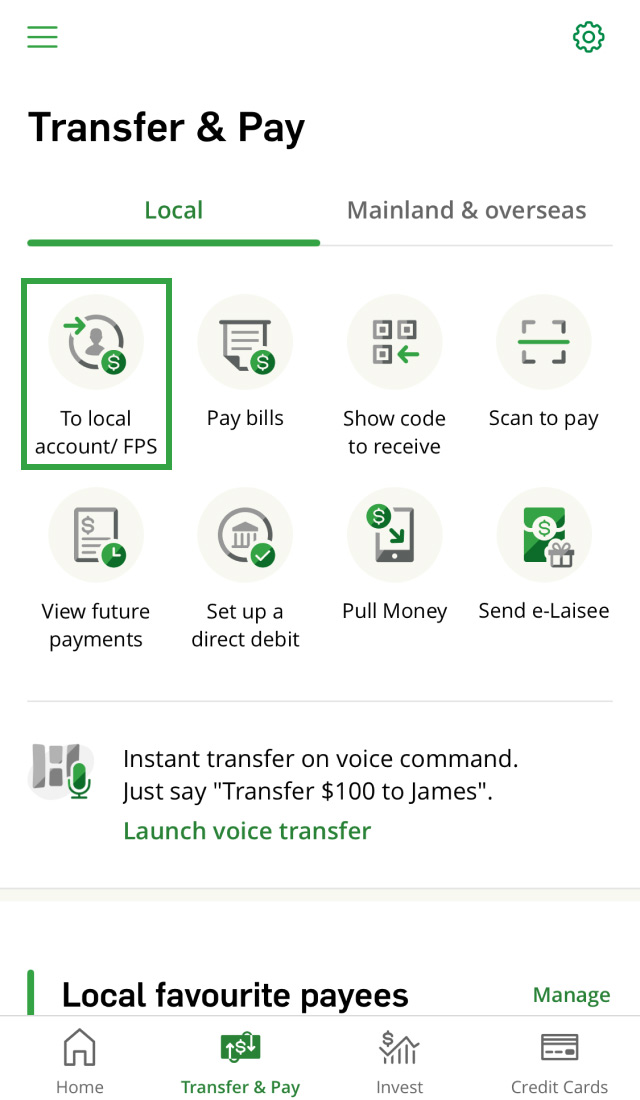
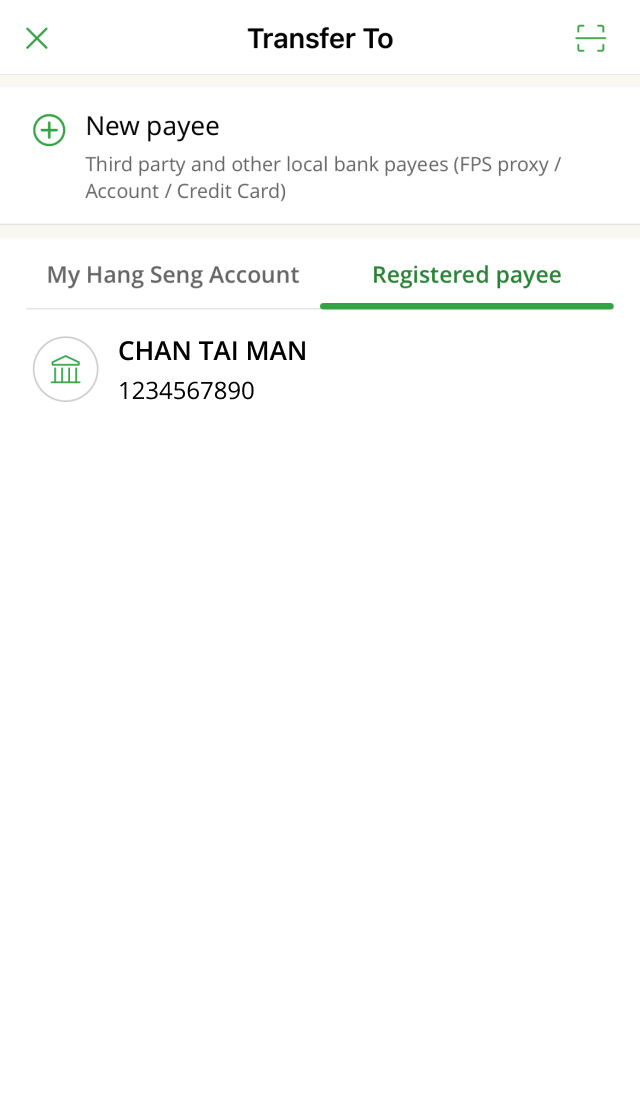
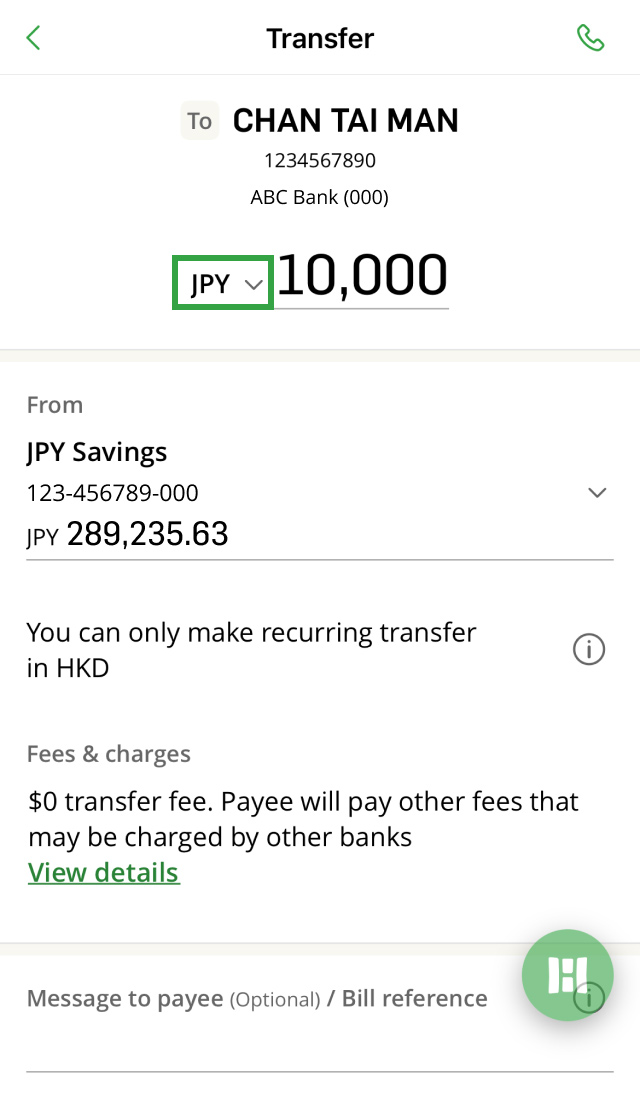
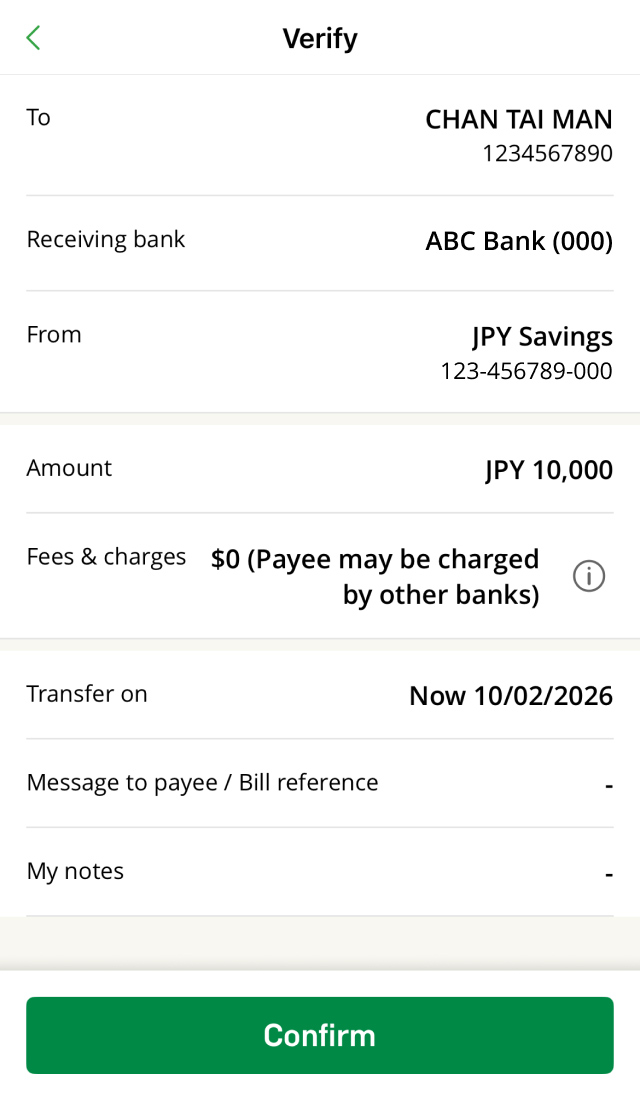
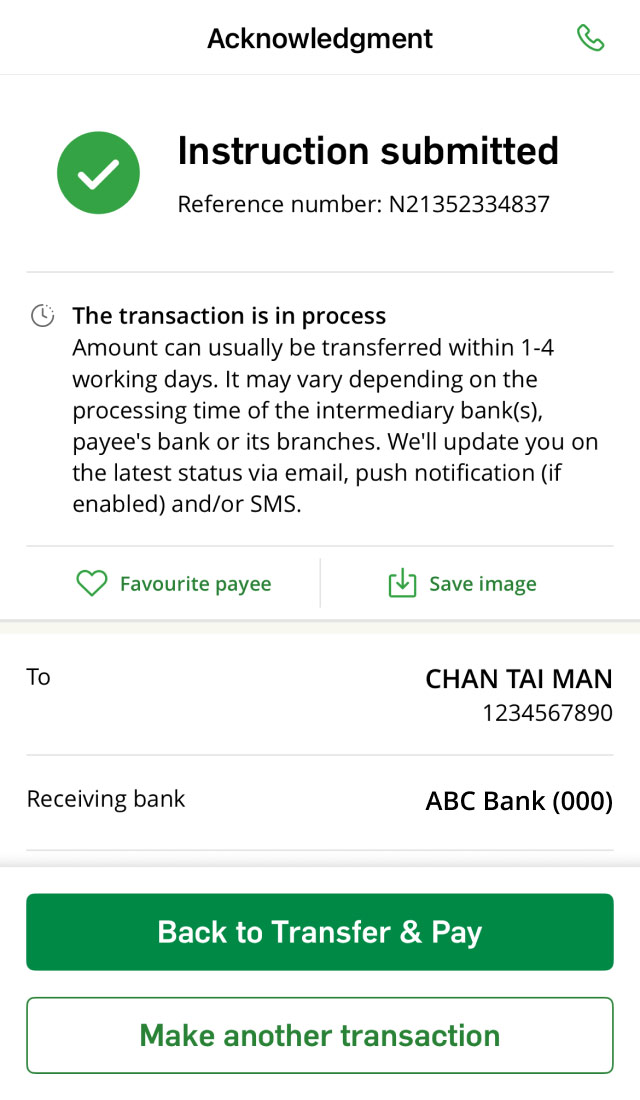


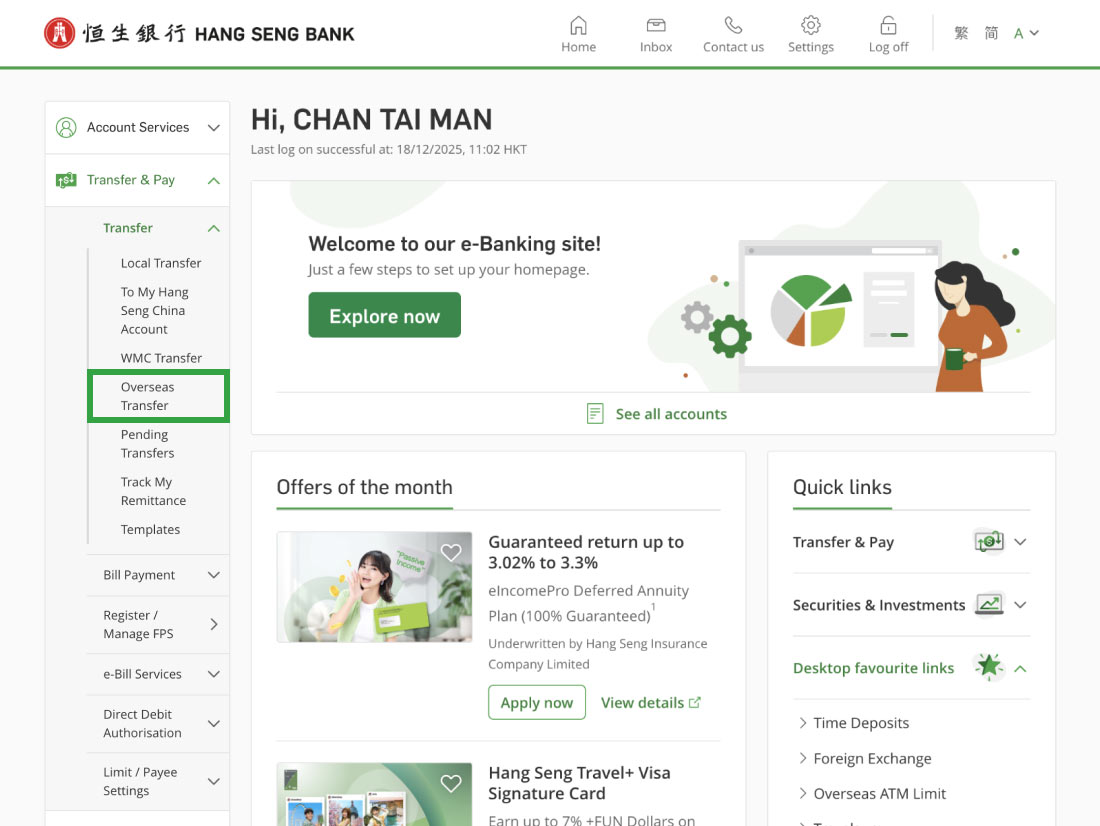
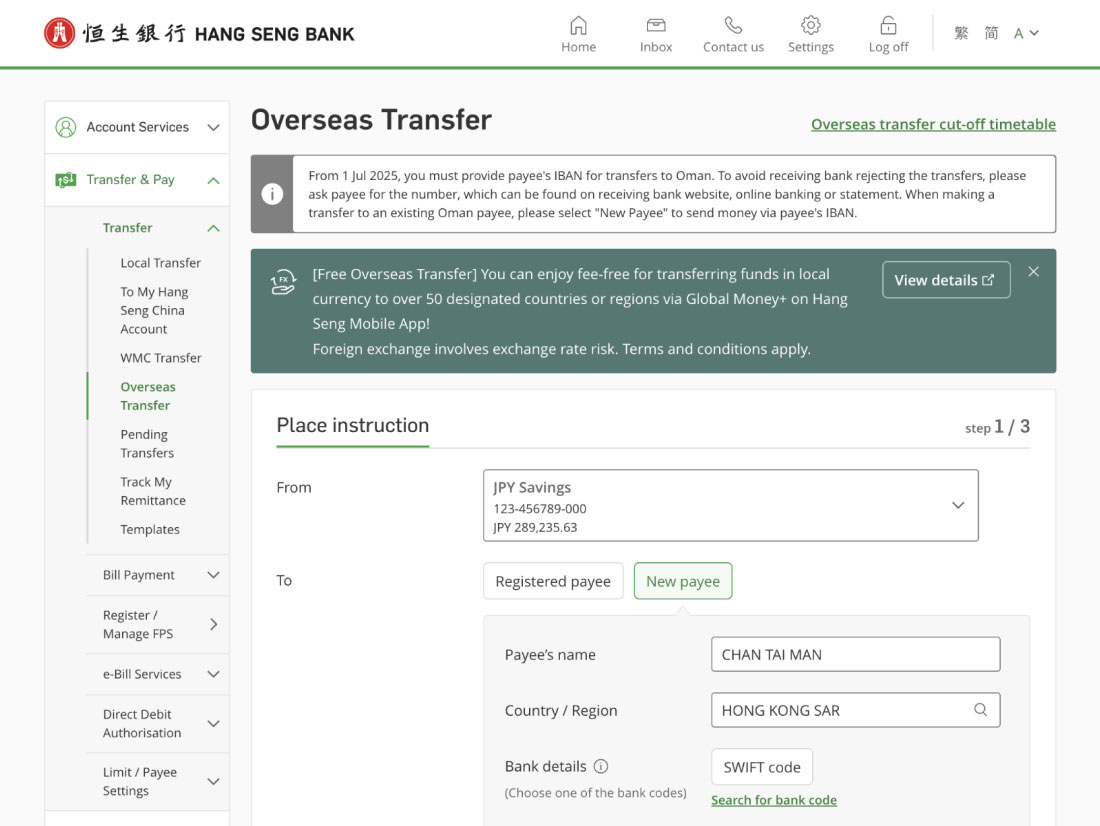
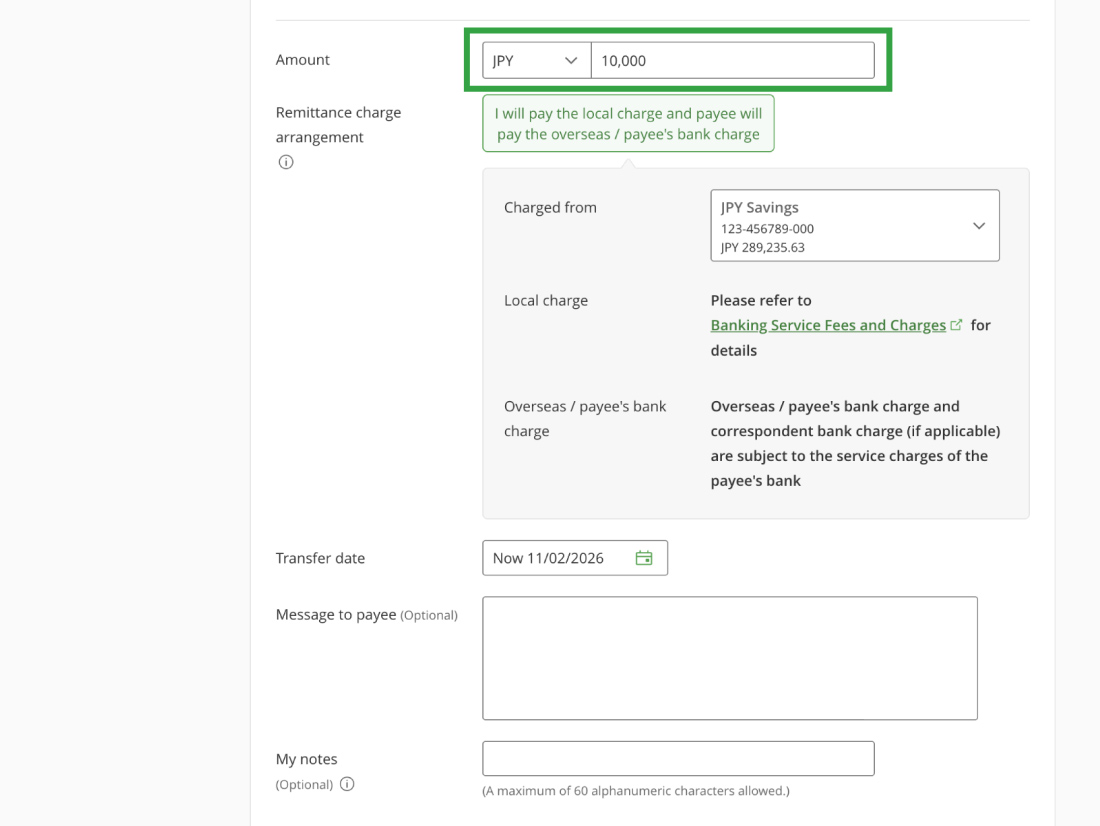
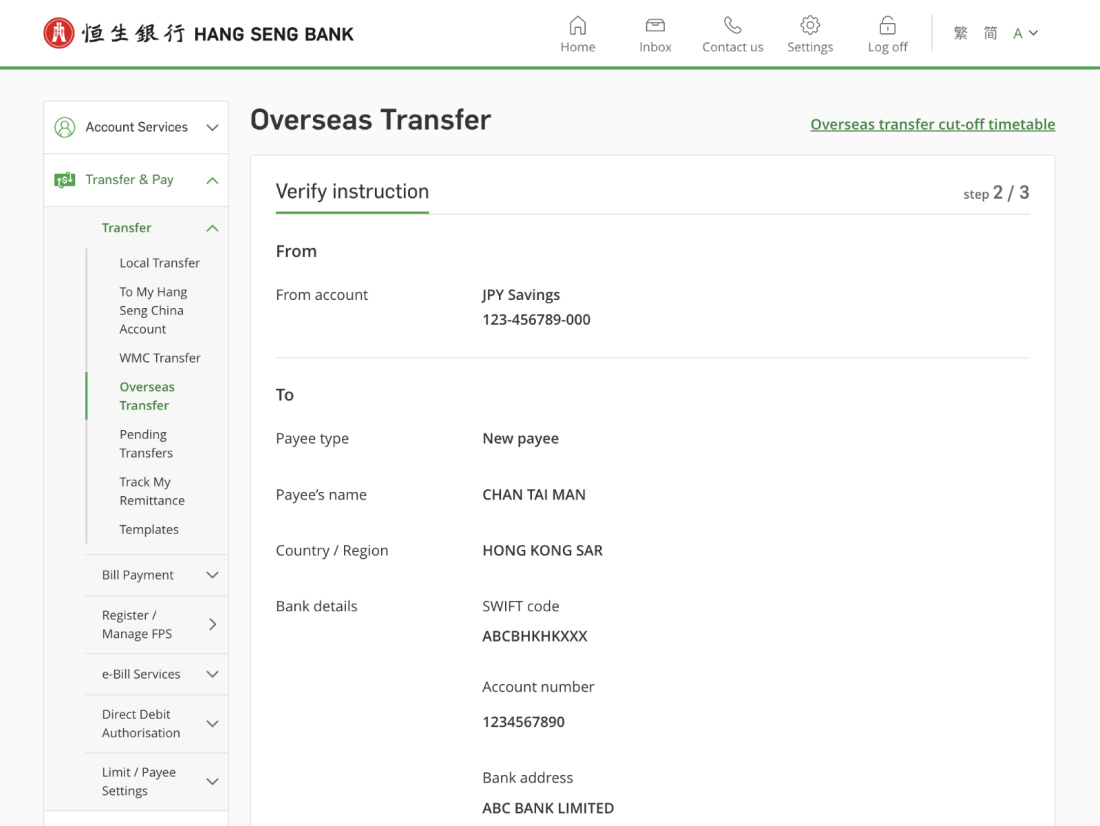
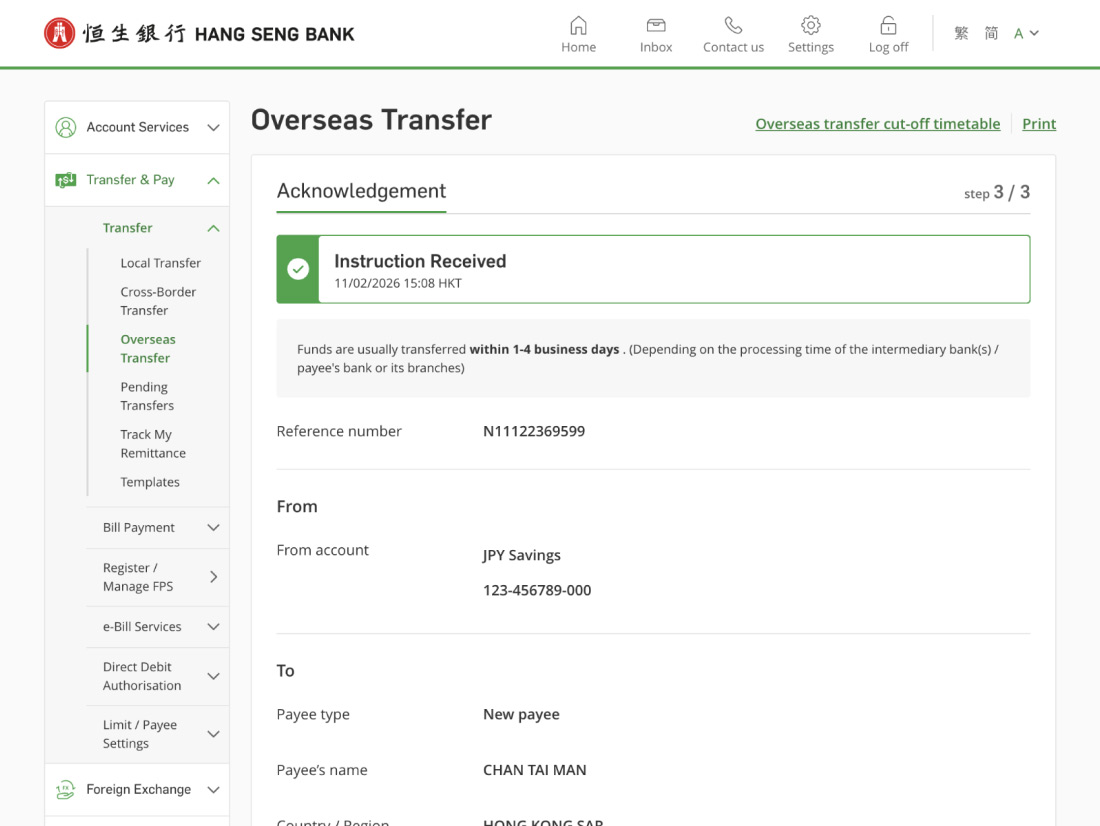
You can receive transfers in 12 foreign currencies from other local banks with your Hang Seng Integrated Account.
Supported foreign currencies:
AUD, CAD, CHF, CNY, EUR, GBP, JPY, NZD, SGD, THB, USD and ZAR
How to receive a foreign currency transfer:
Simply provide the payer with your foreign currency account number. This can be:



Download Hang Seng Mobile App via APK file
Transfer can usually be transferred within 1 to 4 working days. It may vary depending on the processing time of the intermediary bank(s), payee's bank or its branches. We'll update you on the latest status via email, push notification (if enabled) and/or SMS.
Cut-off time for transfer to other local banks via CHATS or SWIFT:
| Currency Code | Cut-off time (Mon to Fri) |
|---|---|
USD, CAD, EUR, GBP, CHF |
6:00 p.m. |
JPY, THB |
11:00 a.m. |
NZD |
11:45 a.m. |
AUD |
12:00 noon |
ZAR |
3:00 p.m. |
SGD |
3:25 p.m. |
Please note:
For details, please refer to Outward Remittance & CHATS Services Cut-off Timetable.
You can schedule CHATS or SWIFT transfers to other local bank accounts up to 45 days in advance using Hang Seng Mobile App or Personal e-Banking.
If you make an instant transfer, you can't change or delete the instruction once it has been processed.
If you make a scheduled transfer, you can delete the transaction in the following ways:
You can only exchange foreign currency if your instruction is completed through Personal e-Banking1 or at a branch.
If you're completing the instruction through Hang Seng Mobile App, please log on and go to left menu > "Foreign Exchange" > "Foreign Exchange Service" to exchange foreign currency in advance.
To make a local foreign currency transfer to this payee, you'll need to re-register them in Personal e-Banking. Please follow the steps below:
You'll be notified via SMS, email and/or push notification (if enabled) when we debit funds from your account.
You can make local foreign currency transfers using any of these methods:
The local transfer fee for transferring to other bank accounts in Hong Kong via Hang Seng Mobile App and Personal e-Banking is waived. The currencies include AUD, CAD, CHF, CNY, EUR, GBP, JPY, NZD, SGD, THB, USD and ZAR.
There's a fee of HKD190 (or its equivalent) for each local foreign currency transfer made through other channels, such as our branches or Phone Banking. For details, please refer to Banking Services Fees and Charges.
The local transfer fees is waived when you transfer foreign currencies to other designated local bank accounts via CHATS or SWIFT using Hang Seng Mobile App or Personal e-Banking.
Please note that the beneficiary and/or correspondent banks may still charge a service charge, which could be deducted from the transfer amount.
For local foreign currency transfers, if the beneficiary bank is a registered direct participant of local clearing in Hong Kong, we may choose to transfer by CHATS. Please note that the beneficiary bank may impose a service charge to the payee, and deduct additional fees from the transfer amount. For details, please check with the beneficiary banks.
For transfers via SWIFT though this transfer service, some beneficiary and/or correspondent banks may deduct additional fees from the transfer amount. For details, please check with the beneficiary and/or correspondent banks.
You can receive 12 foreign currencies directly into your bank account using the following transfer methods:
| Supported currencies | Transfer via | What the payer need |
|---|---|---|
| AUD, CAD, CHF, EUR, GBP, JPY, NZD, SGD, THB, USD and ZAR |
|
|
| CNY |
|
|
You should use your Hang Seng Integrated account, here are the benefits:
Please note:
Get 24/7 support from our Virtual Assistant.
Want to know more about
credit card services?
Want to know more about
credit card services?
Chat with H A R O now