We use cookies to give you the best possible experience on our website. By continuing to browse this site, you give consent for cookies to be used. For more details, please read our Online Terms & Conditions, Privacy Policy, Cookies Policy and Personal Information Collection Statement.
We recommend using a computer web browser or Hang Seng Mobile App to log on for enhanced security. Please visit "Security Information Centre" for more security tips.



Scheduled system maintenance on 1 Mar 2026
Due to system maintenance, repaying your Hang Seng credit card statement balance using Faster Payment System ("FPS") from other local bank accounts will be unavailable from 2:00 a.m. to 7:00 a.m. on 1 Mar 2026. Please make arrangements in advance if needed.
Repay your credit card balance easily with a variety of methods.

Scan the QR code to repay
Repay your credit card balance from your HKD[1] or Renminbi[2] Savings Account via Hang Seng Mobile App[5][6]. Once the payment is posted, you can check the updated statement balance due in "My Credit Cards".
Reminder, you can enable push notifications to receive payment due reminders.
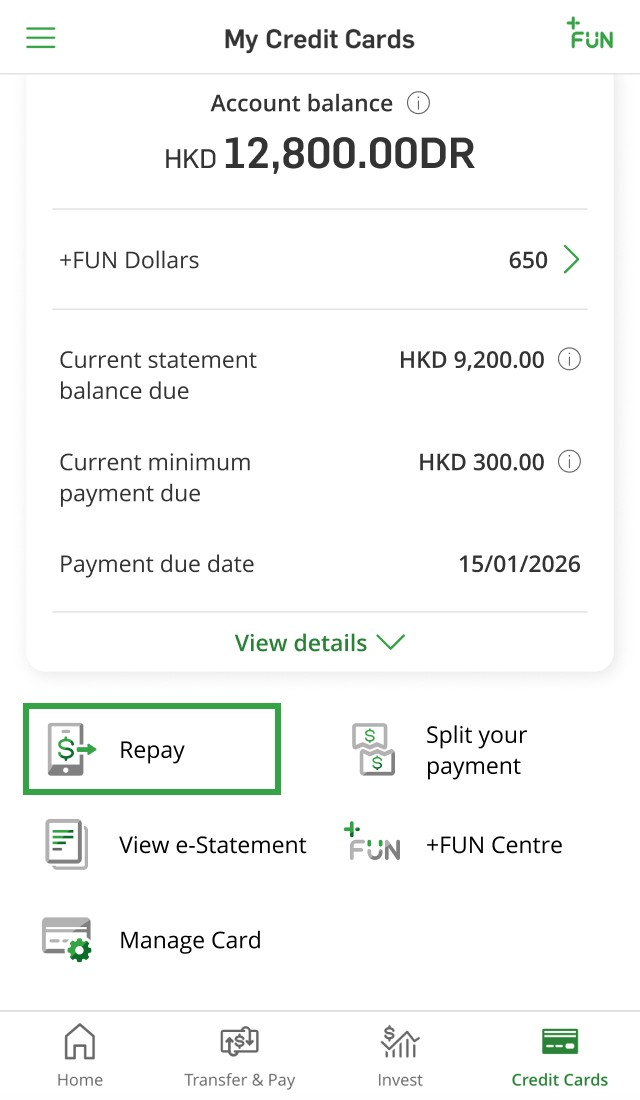
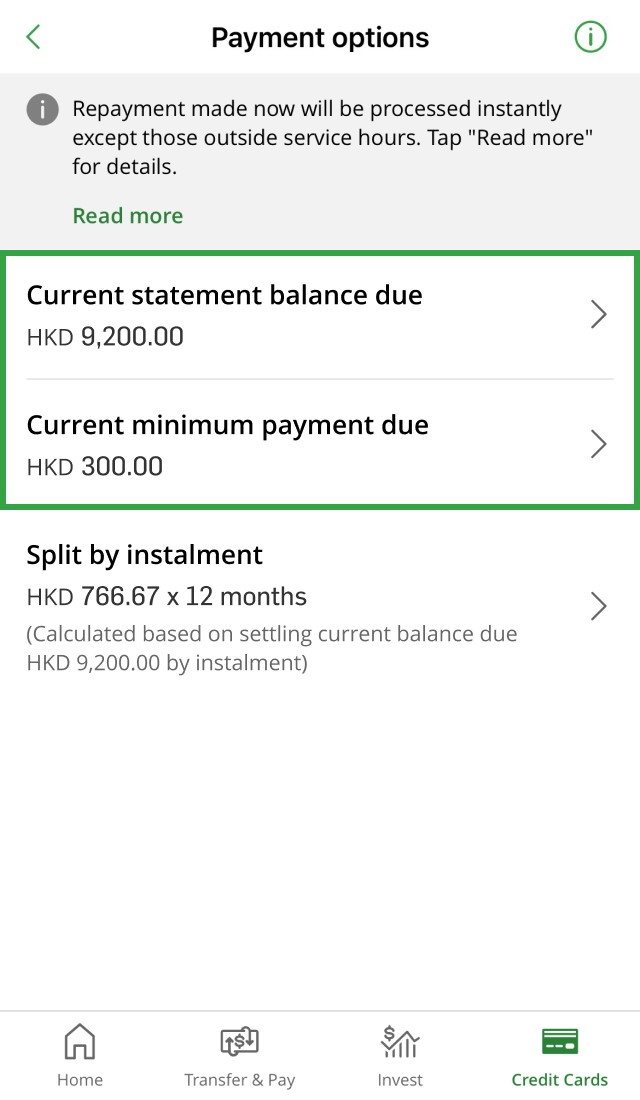
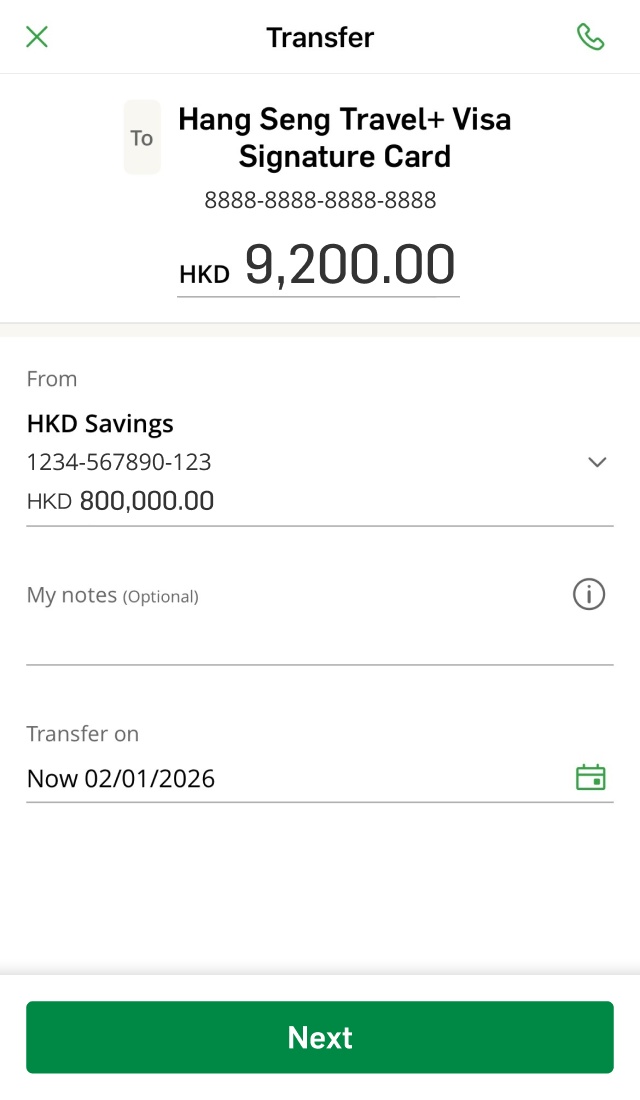
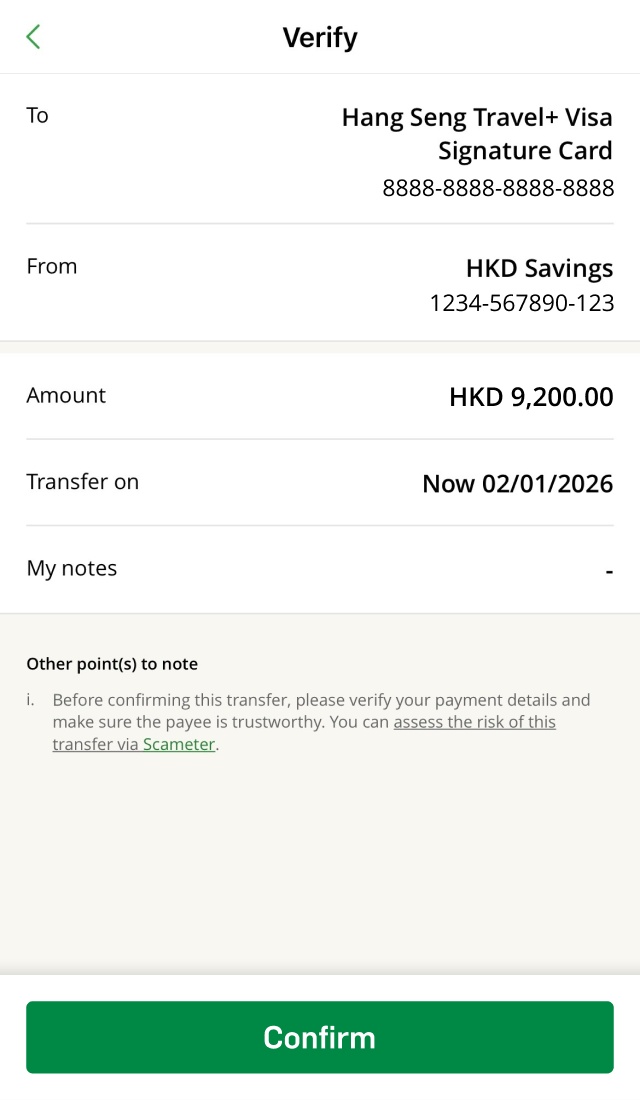


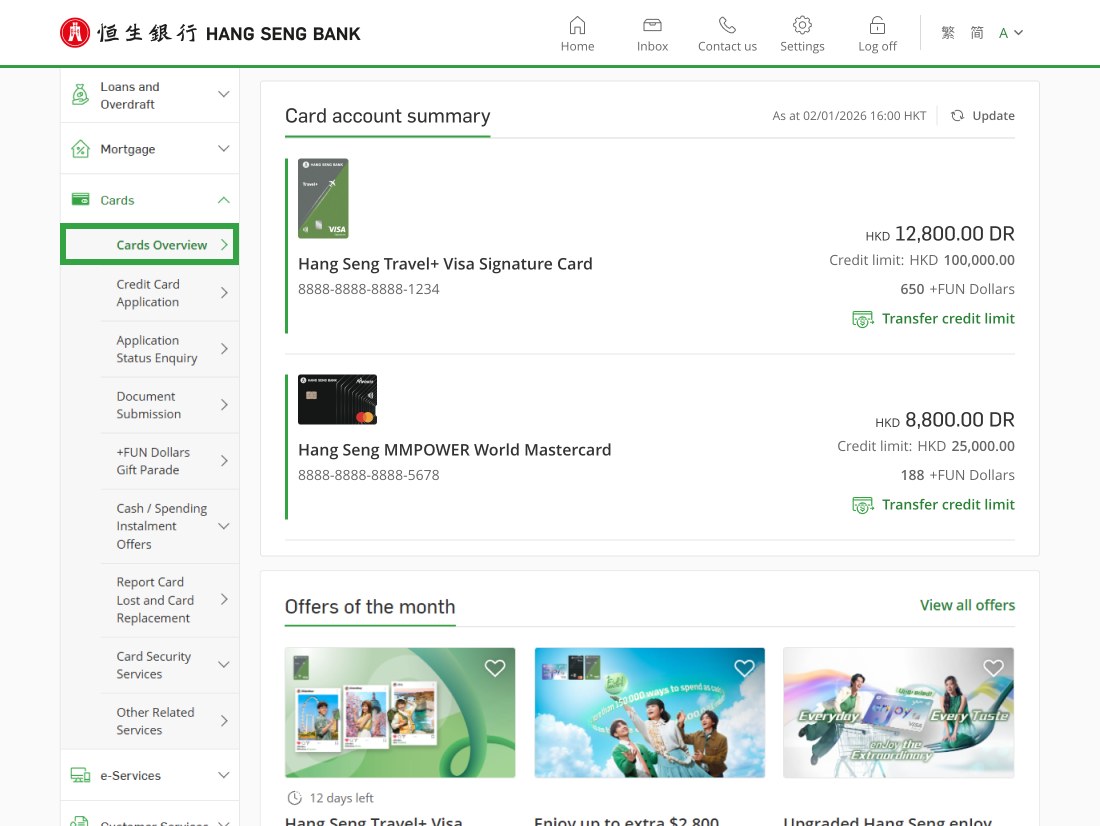
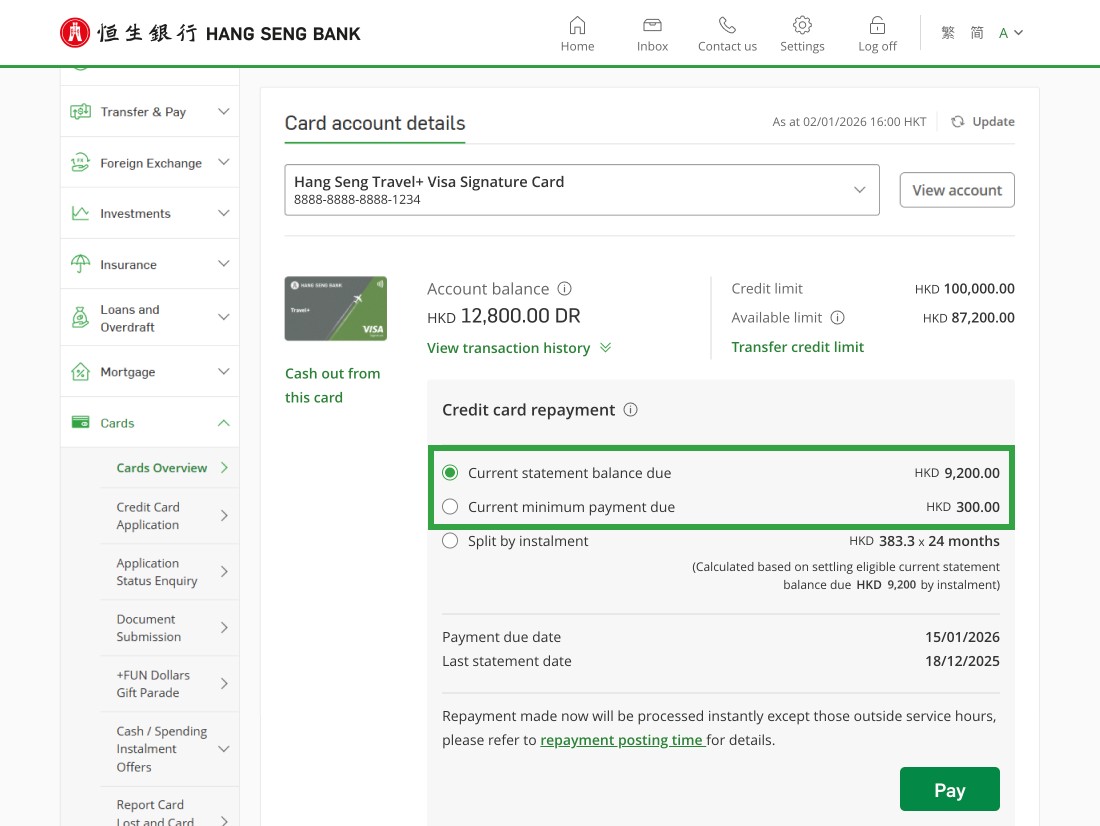
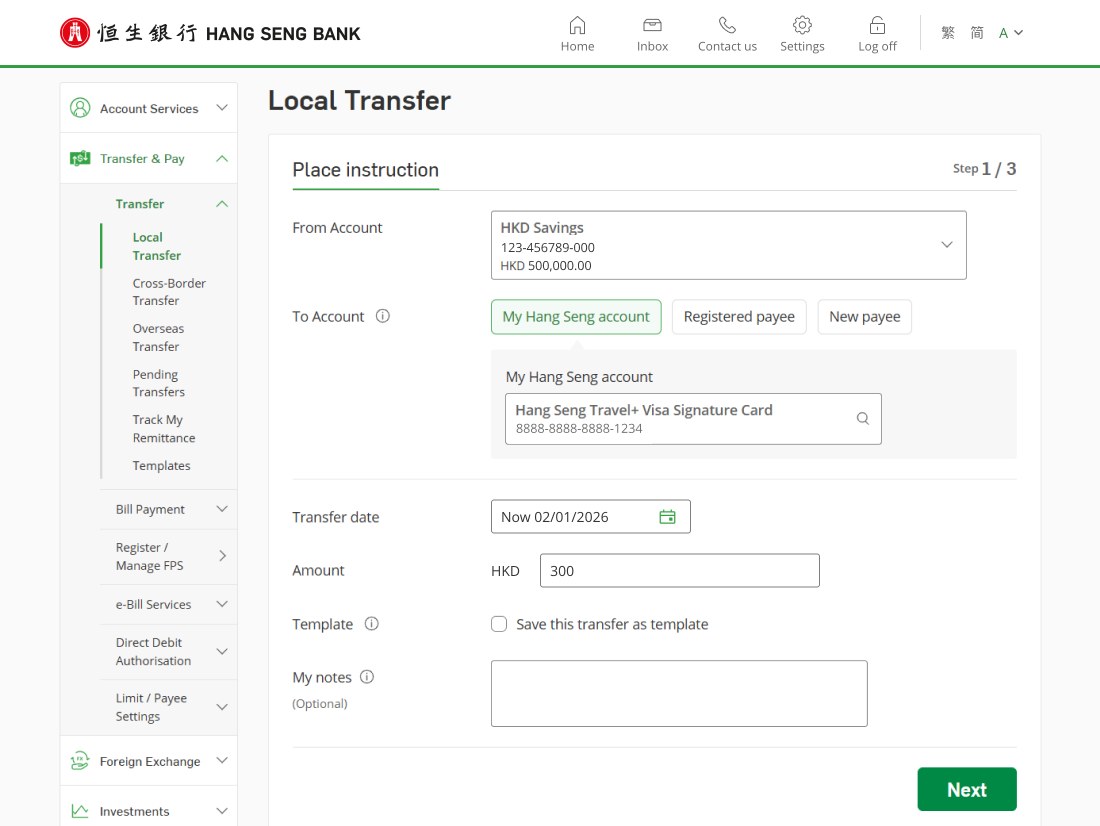
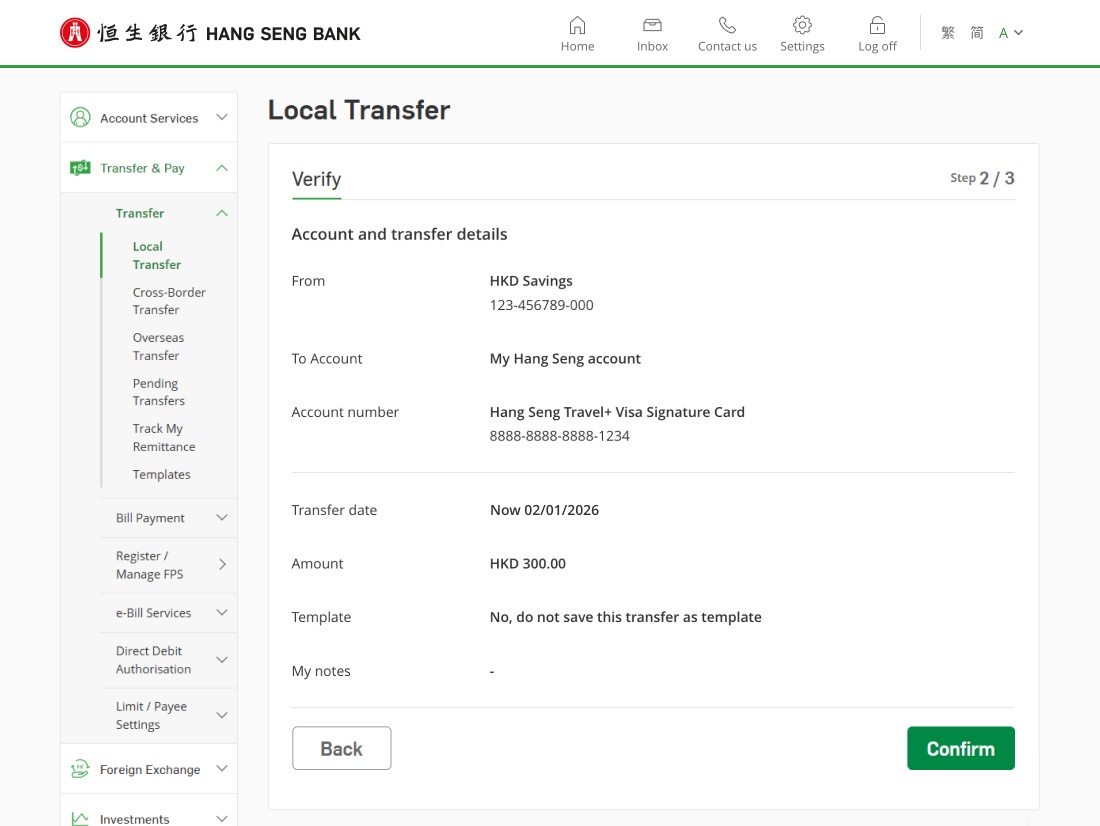
Repay your credit card balance from your HKD[1] or Renminbi[2] Savings Account via Personal e-Banking[5],[6]. Once the payment is posted, you can check the updated statement balance due in "Cards Overview".


Simply complete the Direct Debit Authorisation Form and return it to any Hang Seng Bank branch to register for Autopay. Please ensure there are sufficient funds in your designated bank account[2] from 12:00 a.m. on the payment due day.
Transfer funds 24 hours a day from other local bank accounts for repayment using Faster Payment System (FPS)[5].
You can transfer funds from a designated bank account to repay your card balance via phone / website / PPS mobile app[4],[5]. The merchant code for Hang Seng Credit Card is "20". Call the hotlines or visit the PPS website to learn more:
Transfer funds from any Hang Seng Bank / HSBC accounts (same name or third party) to your credit card account at Hang Seng Bank / HSBC ATMs in Hong Kong[4],[5].
Repay your card balance by cash via Cash Deposit Machines or by crossed cheque[3] via Cheque Deposit Machines on or before the payment due date. Please enter the credit card number or insert the credit card before depositing to identify the account[4],[5],[6],[7].
Put your HKD or CNY crossed cheque[3] (applicable to Renminbi Credit Card) in our Cheque Drop-in Box at any Hang Seng Bank branch at least 1 working day before the payment due date[5],[6].
You can mail your HKD or CNY crossed cheque[3] (applicable to Renminbi Credit Card) to "Hang Seng Bank Limited, P.O. Box 72962, Kowloon Central Post Office, Hong Kong" at least 5 working days before the payment due date. Please don't send cash through the mail[5].
You can transfer funds from your linked bank account to your credit card account through the Credit Card 24-hour Customer Service Hotline[4],[5],[7],[8].
For repayment made over the counter at branches using cash, cheque, cashier's order or account transfer, we charge a handling fee for each transaction[9]. CNY note payments are only applicable to Renminbi Credit Card repayment. We only accept notes in denominations of CNY50 or above.



Download Hang Seng Mobile App via APK file
Enjoy a personalised handling fee, flexible repayment period and manage your finances on your own terms.
Calculate your monthly payment amount, repayment period and total cost to help you plan your budget.
Get 24/7 support from our Virtual Assistant.
To borrow or not to borrow? Borrow only if you can repay!
Want to know more about
credit card services?
Want to know more about
credit card services?
Want to know more about credit card services?