We use cookies to give you the best possible experience on our website. By continuing to browse this site, you give consent for cookies to be used. For more details, please read our Online Terms & Conditions, Privacy Policy, Cookies Policy and Personal Information Collection Statement.
We recommend using a computer web browser or Hang Seng Mobile App to log on for enhanced security. Please visit "Security Information Centre" for more security tips.



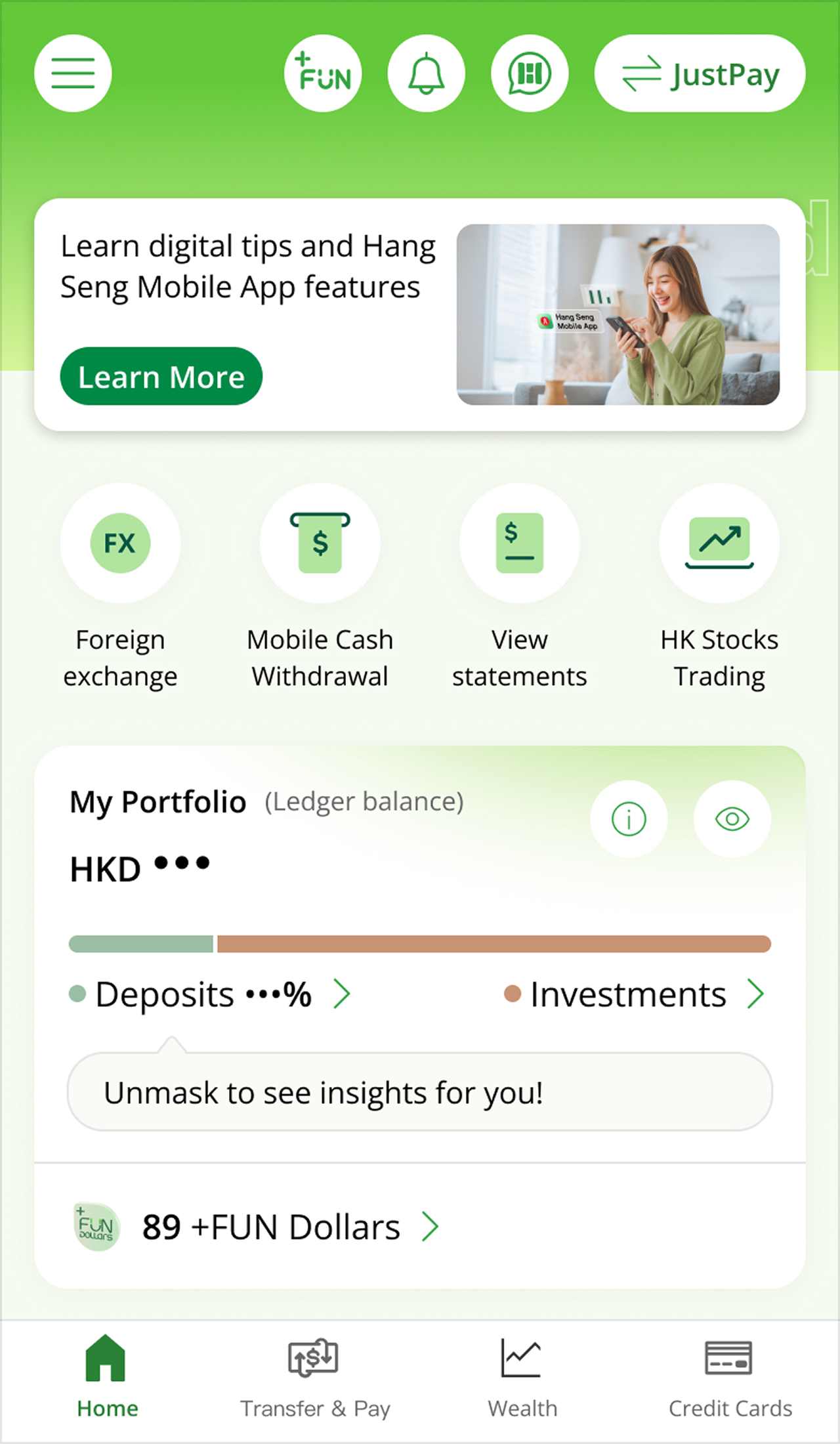
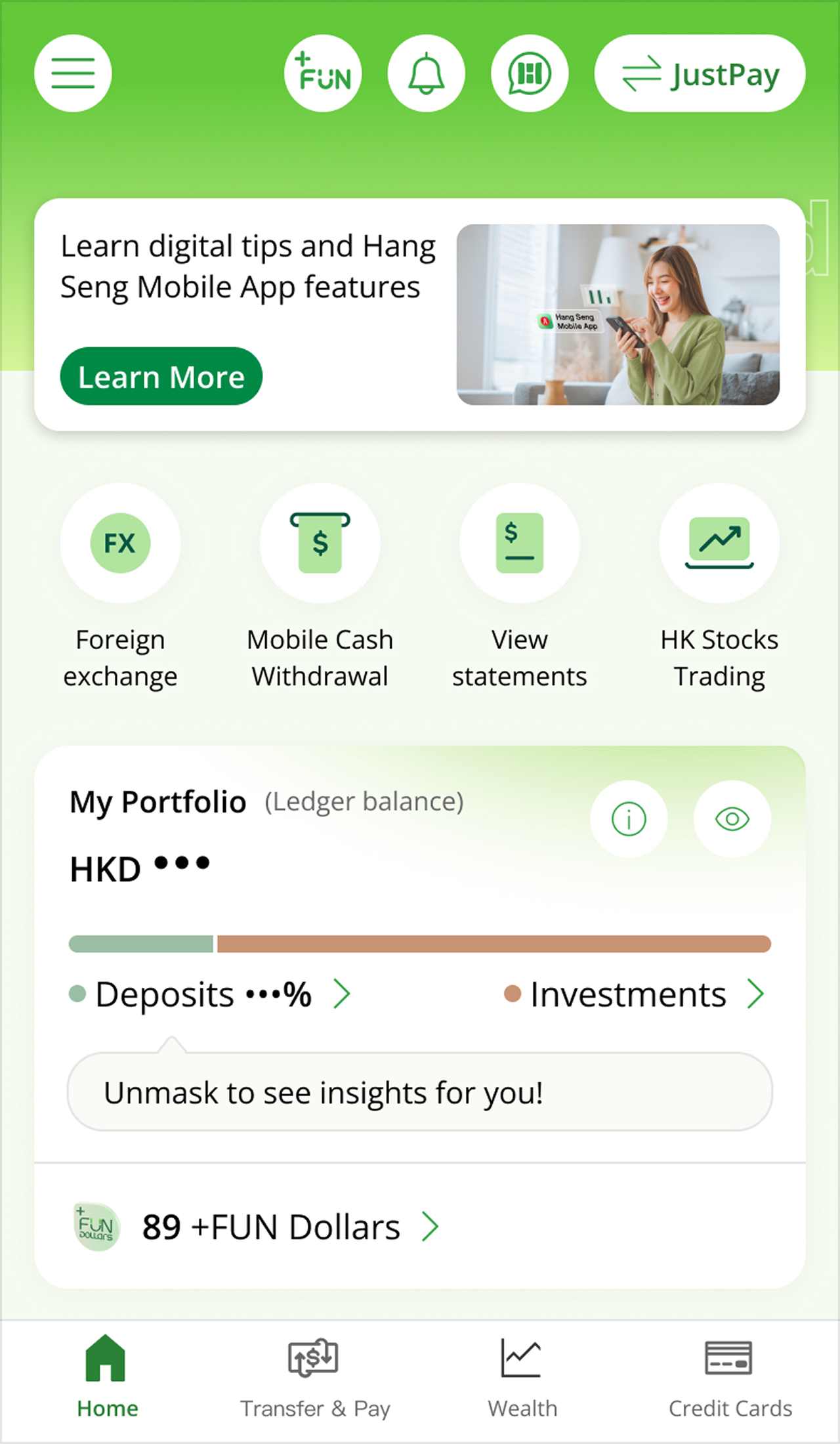
After receiving your physical card, simply activate it via Hang Seng Mobile App or our 24-hour Card Activation Hotline to start using it.
You can also use our app to manage your credit and debit cards anytime and access more related features.

Just a few steps to enjoy fast and secure transactions!
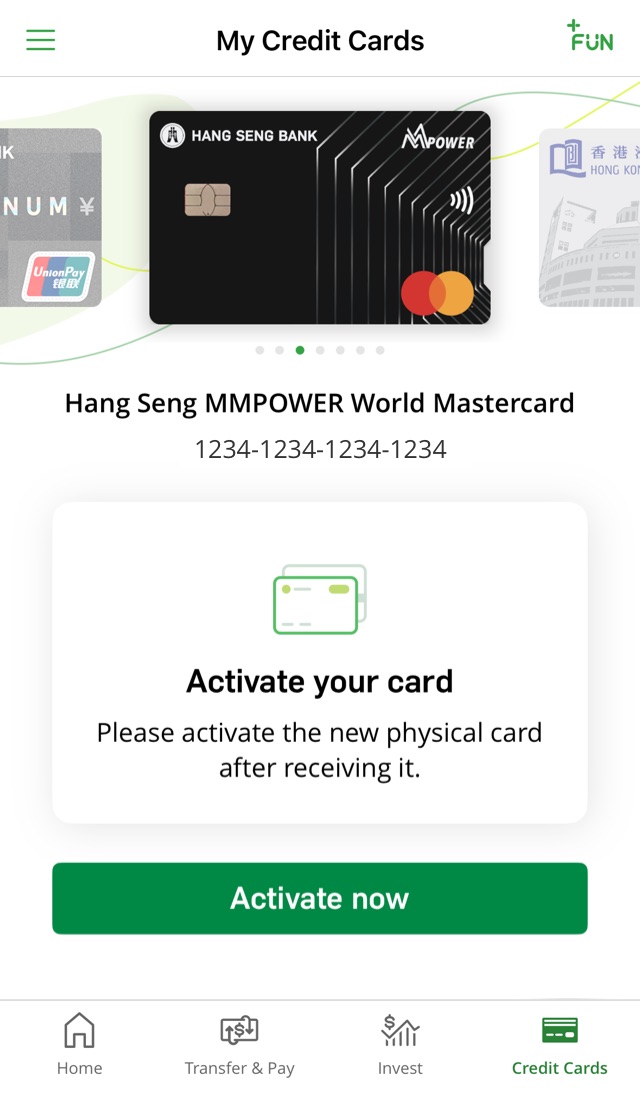
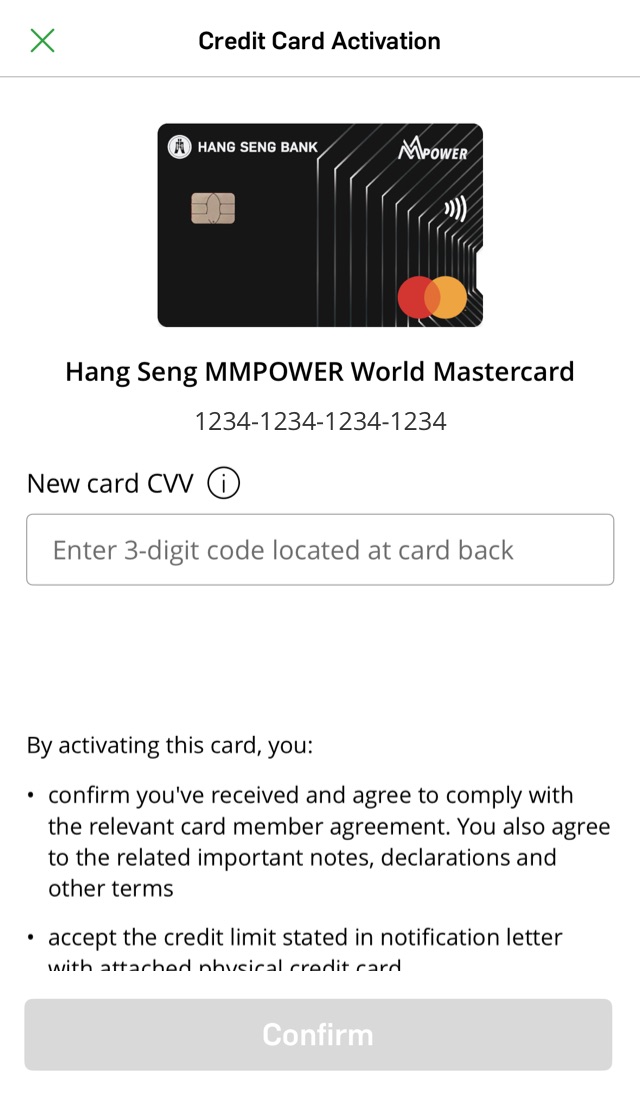
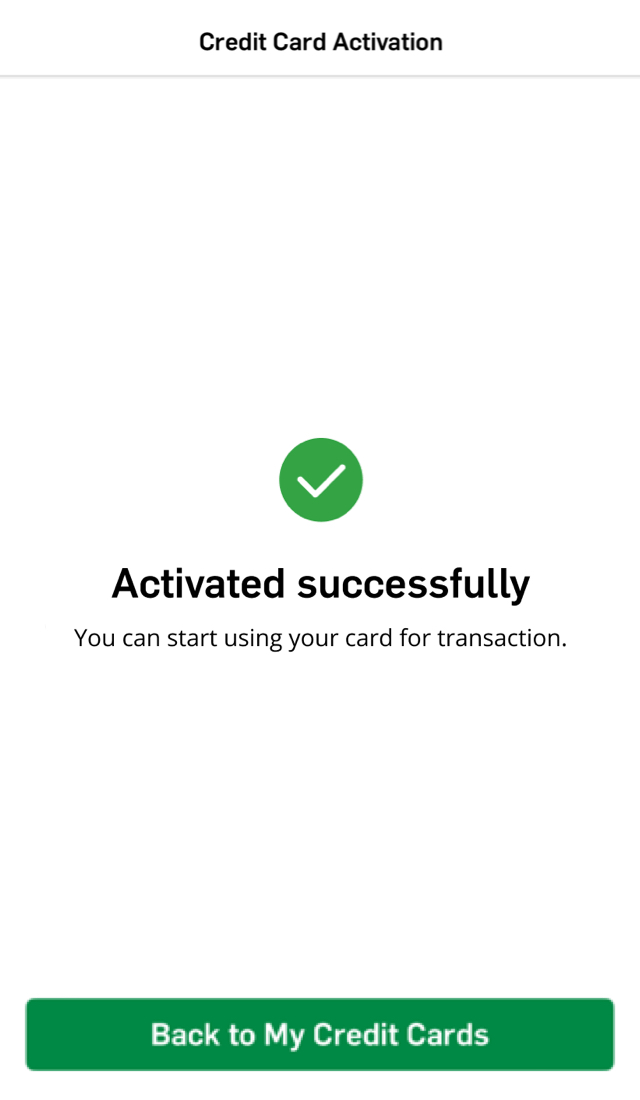
Simply scan the QR code to log on and activate your credit card
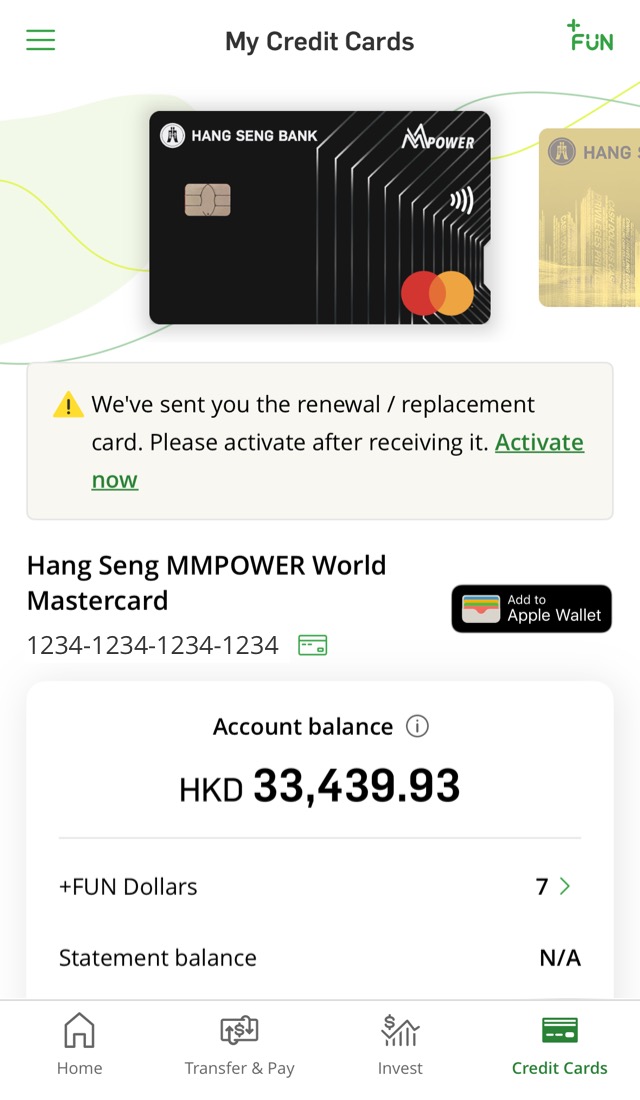
Scan the QR code to download Hang Seng Mobile App and follow the instructions in the "How it works" section to register for Personal e-Banking. Then log on to activate your card on the "Credit Cards" page.
Wish to keep track of your credit card spending and latest statements anytime? Simply enable push notifications on our app! View the Push Notification page to learn more.


Call our 24-hour Card Activation Hotline at (852) 2997 3366 to activate your card.

Just a few steps to enjoy fast and secure transactions!
Simply scan the QR code to log on and activate your debit card.
Scan the QR code to download Hang Seng Mobile App and follow the instructions in the "How it works" section to register for Personal e-Banking. Then log on to activate your debit card on the "My Debit / ATM Cards" page.
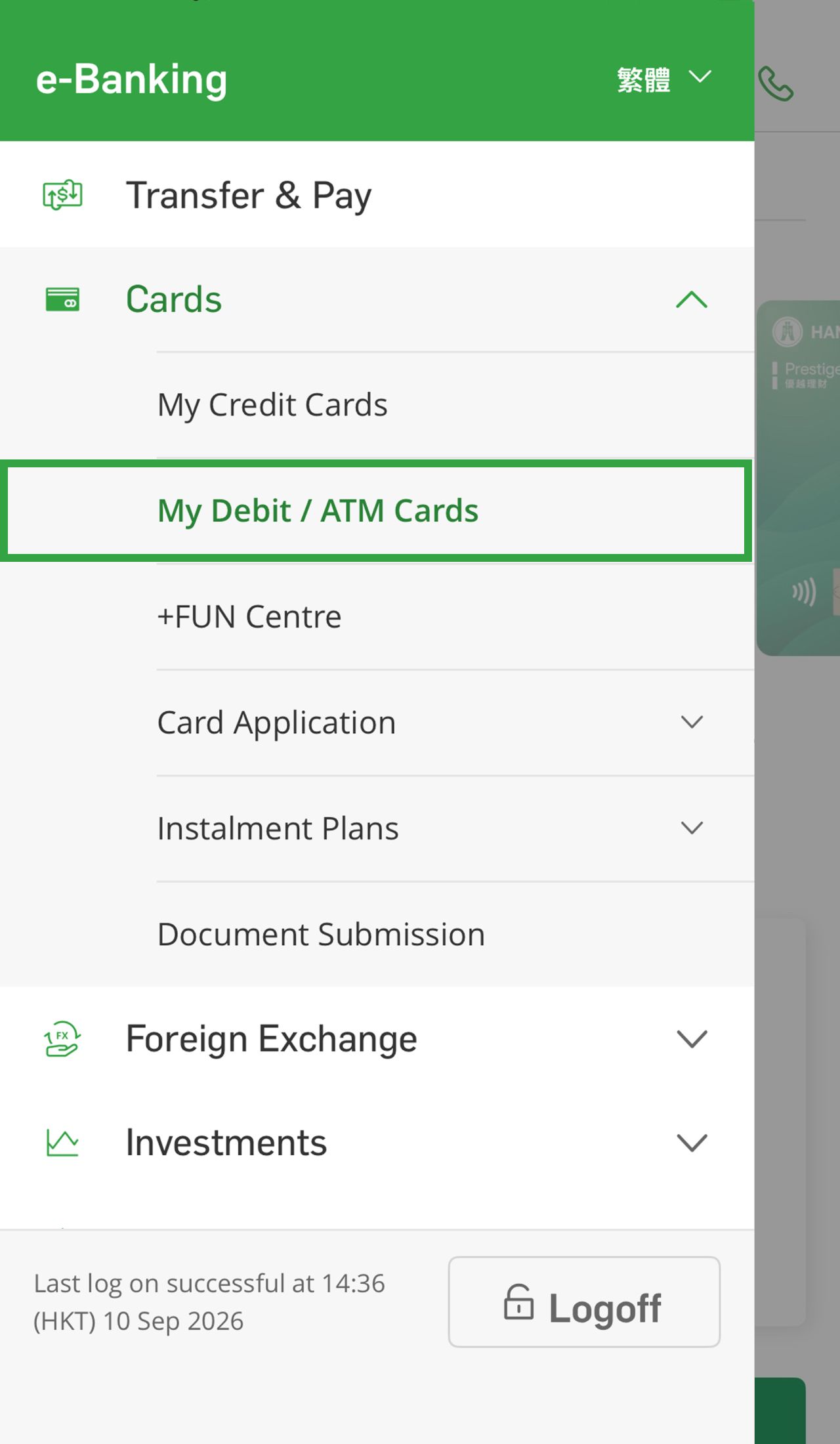
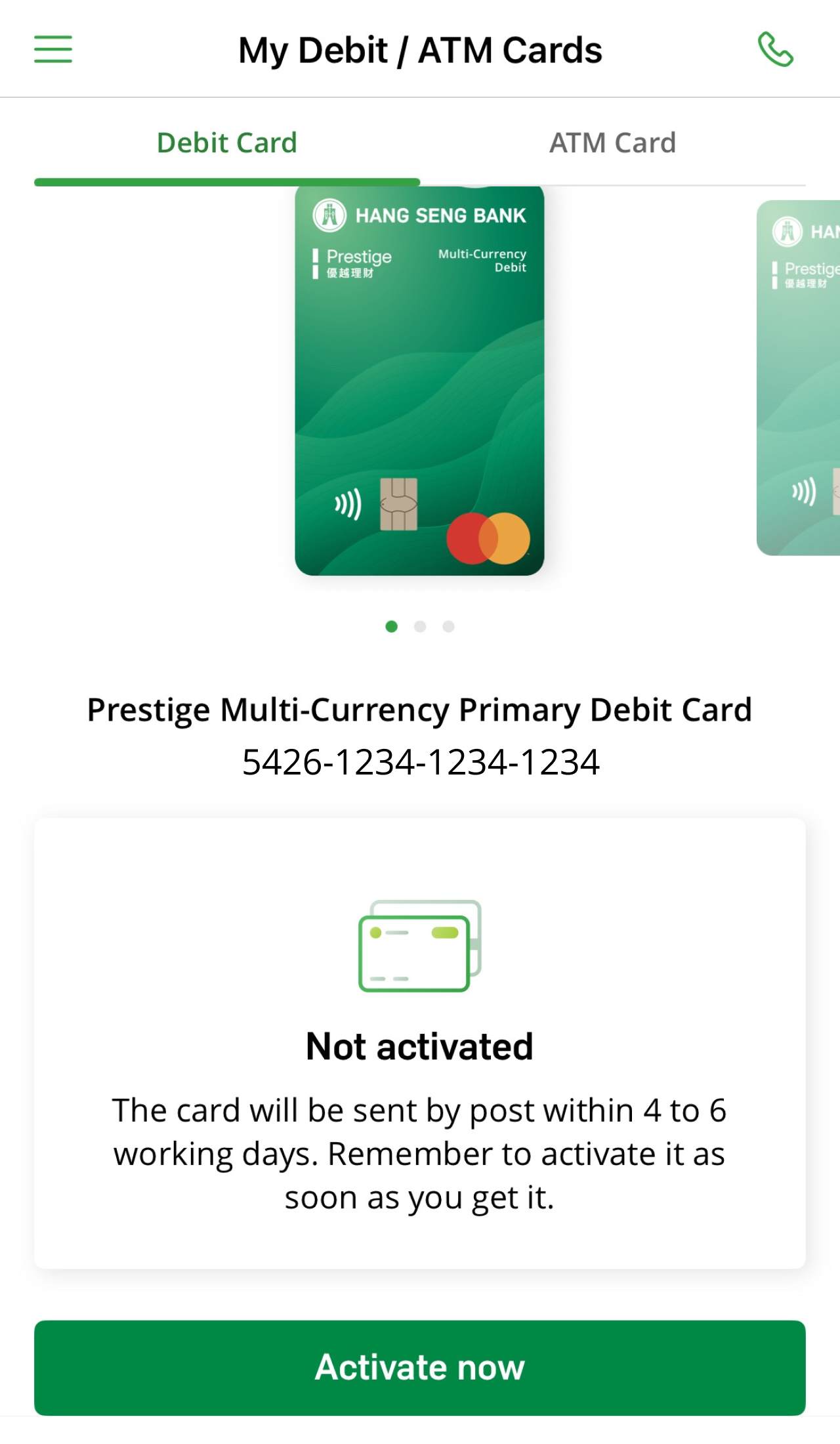
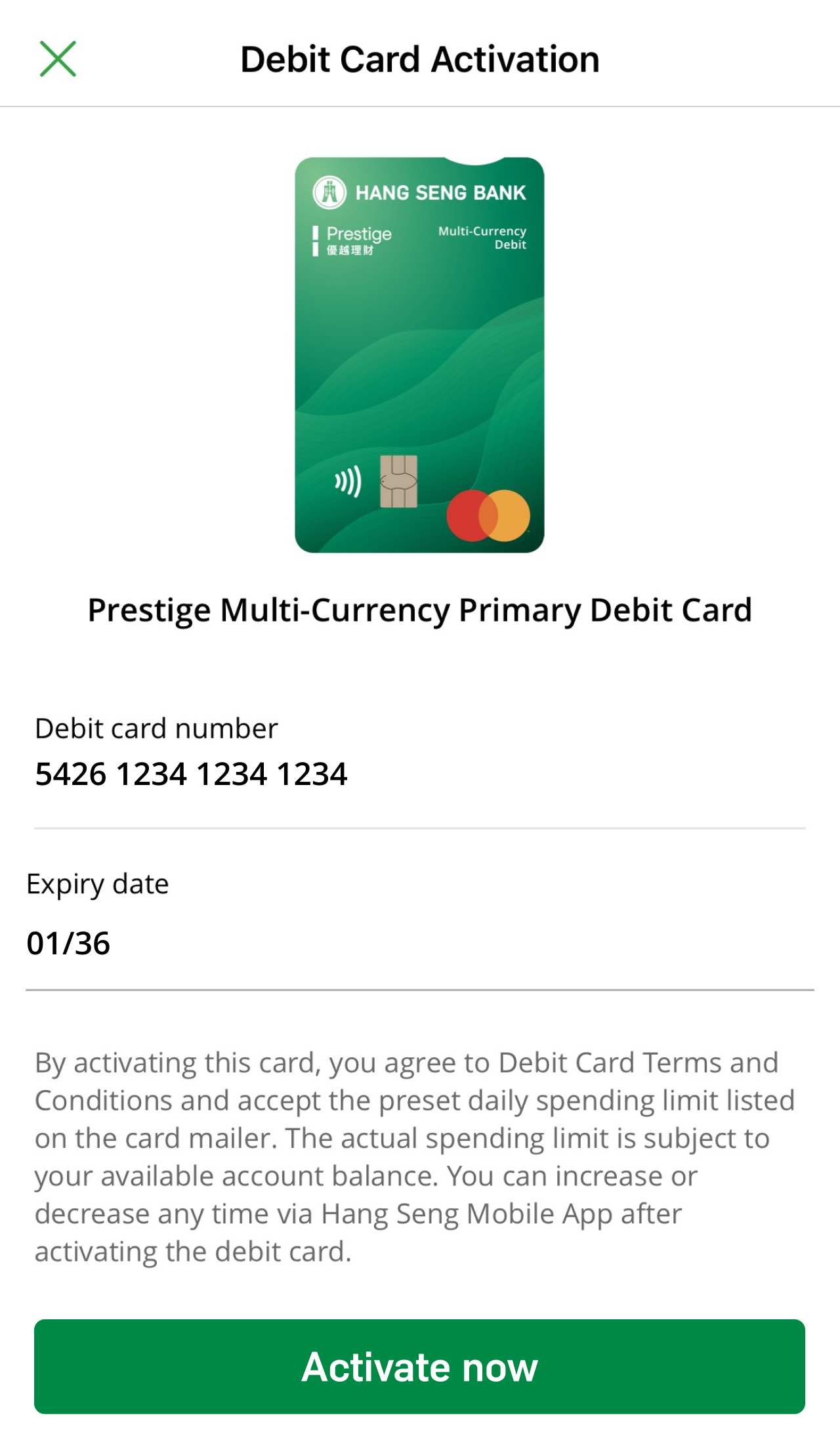
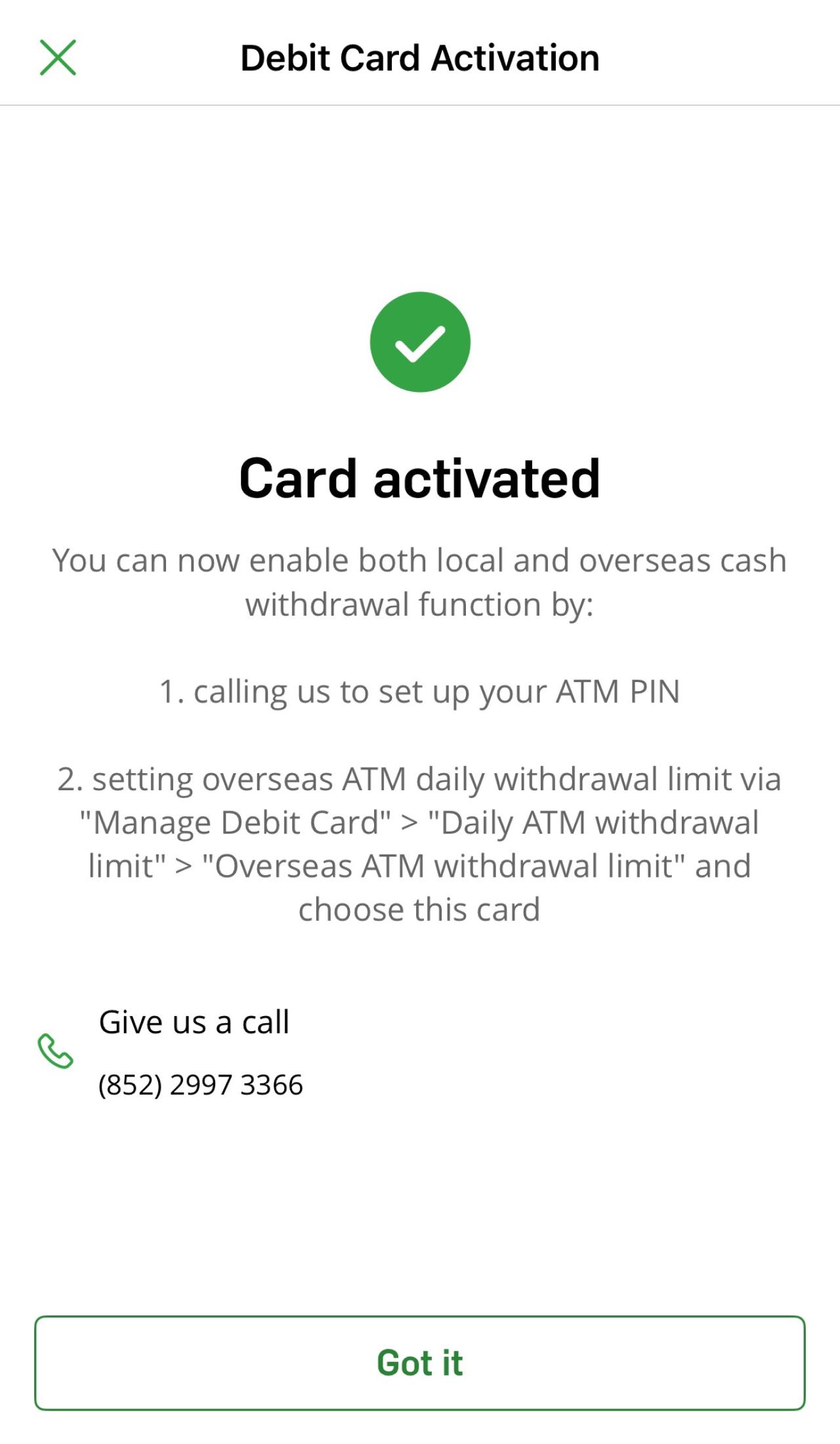
Call the Debit Card Activation Hotline at (852) 2997 3366. During the activation process, a one-time password will be sent via SMS to your registered mobile number.
We'll mail the credit card to your correspondence address within 4 working days (for new card) / 10 working days (for renewal or replacement card) after it's issued. If you haven't receive it, please call us at (852) 2398 0000 for assistance.
It may be because your credit card isn't yet ready. You can also try updating your Hang Seng Mobile App to the latest version and then check the "My Credit Cards" page again.
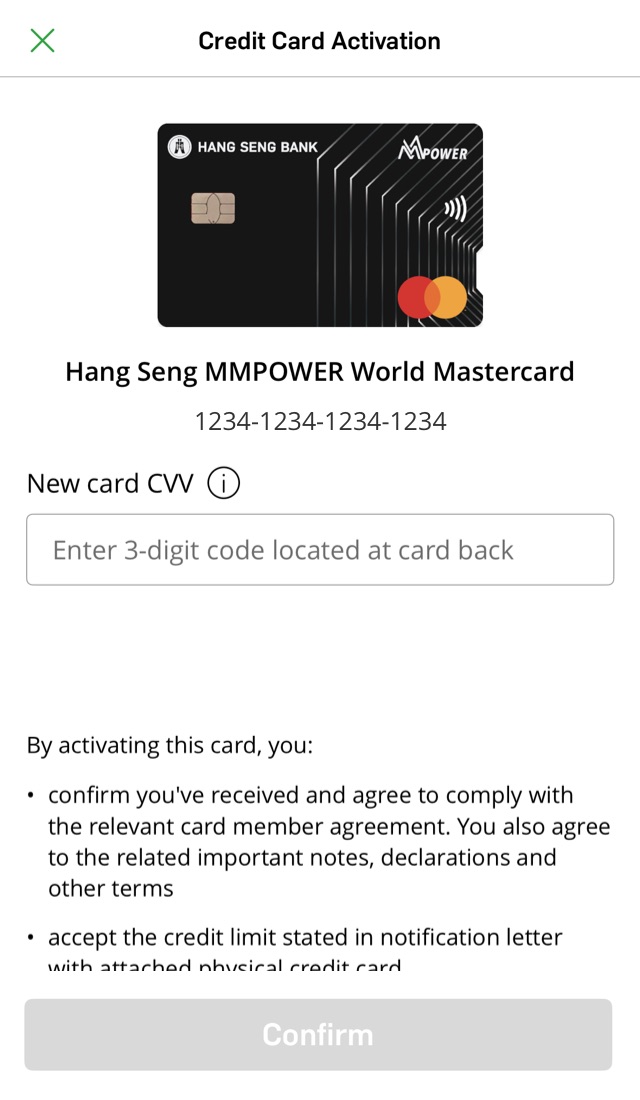
CVV is the Card Validation Code, which is the last 3-digit code located at the back of your card.
If you don't activate your new credit card, you won't be able to use your credit card for transactions. Activate it to start using your card.
If you've received a renewal / replacement card, you should enter the CVV of the new card.
The supplementary card should be activated by the supplementary cardholder.
Both the primary and supplementary cardholder will receive a push notification, email or SMS.
If you enter an invalid CVV multiple times in a row, we'll lock your credit card activation function to protect your account. You'll need to call our customer service hotline on the back of your credit card for activation.
You can call our 24-hour customer service hotline on the back of your credit card for support.
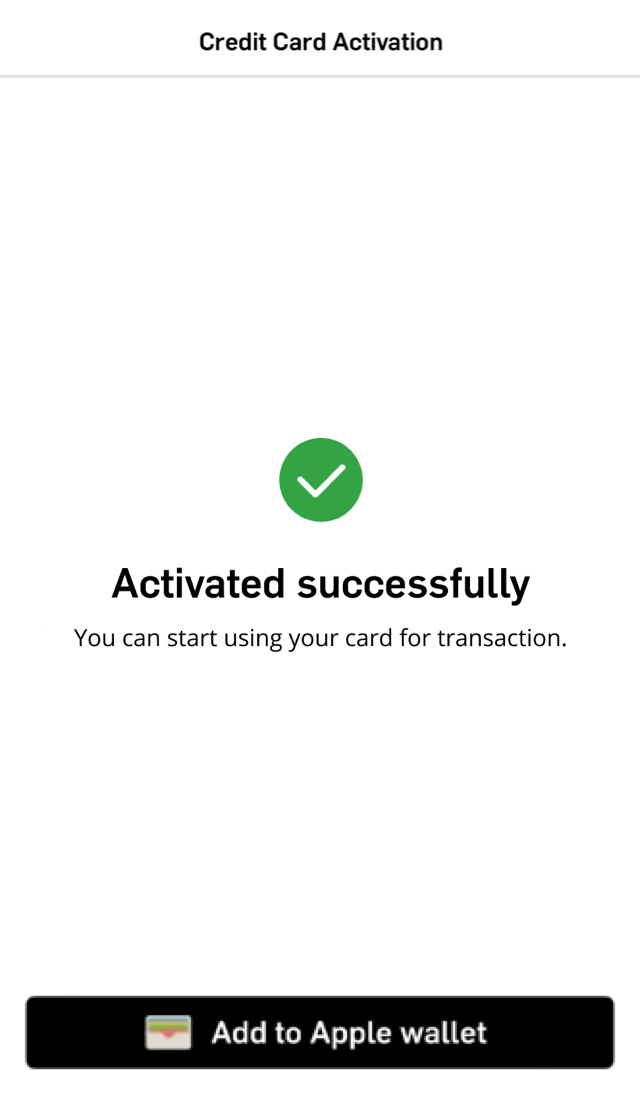
Once you've activated your credit card, you can start using it for transactions and add it to your mobile wallet (if any). However, some functions may take 1 to 3 working days to become available after activation.
Functions available immediately:
Functions available within 1 to 3 working days:
You can manually add the newly activated card for online access by logging on to Personal e-Banking, then choose "Customer Services" > "Account Maintenance" > "Account List and maintain e-Statement / e-Advice".
We'll mail the credit card ATM PIN to you in 4 working days after card activation.
If you want to disable your Credit Card ATM PIN, simply fill in the Change of Debit Card / Credit Card / Phone Banking Service Functions form and submit it to any of our branches for follow-up.
Please note before disabling: If you're a non-HKID cardholder and don't have Personal e-Banking, you need to register for it using your credit card ATM PIN.
You will receive the physical debit card through the below designated method:
For primary debit cardholders and supplementary cardholders with Hang Seng accounts: We'll only send you the debit card by post.
For supplementary cardholders without Hang Seng accounts: You'll receive a card collection advice. Please collect your card at the designated branch as instructed.
We'll send your card by post within 4 to 6 working days after it's opened. If you still haven't received it, please call us at (852) 2836 0838 for assistance.
After receiving the physical card, you can activate it by:
Once activated, you can set up ATM PIN immediately to use the cash withdrawal function.
Please activate your supplementary debit card by calling the Debit Card Activation Hotline at (852) 2997 3366. We'll send you a one-time password via SMS to your mobile number in our bank record. Once activated, you can set up ATM PIN immediately to use the cash withdrawal function.
If you don't activate your card within 6 months of issuance, we'll cancel it automatically.
You can manage the below debit card limits immediately after activation:
You can log on to Hang Seng Mobile App for more functions.
You can view and download statements from the past 7 years anytime, anywhere while saving on the paper statement annual fee.
Want to pay effortlessly? Simply add your Hang Seng Credit Cards to Apple Wallet in your devices, and make contactless payments in shops or online.
To borrow or not to borrow? Borrow only if you can repay!
Activate via Hang Seng Mobile App