We use cookies to give you the best possible experience on our website. By continuing to browse this site, you give consent for cookies to be used. For more details, please read our Online Terms & Conditions, Privacy Policy, Cookies Policy and Personal Information Collection Statement.
We recommend using a computer web browser or Hang Seng Mobile App to log on for enhanced security. Please visit "Security Information Centre" for more security tips.



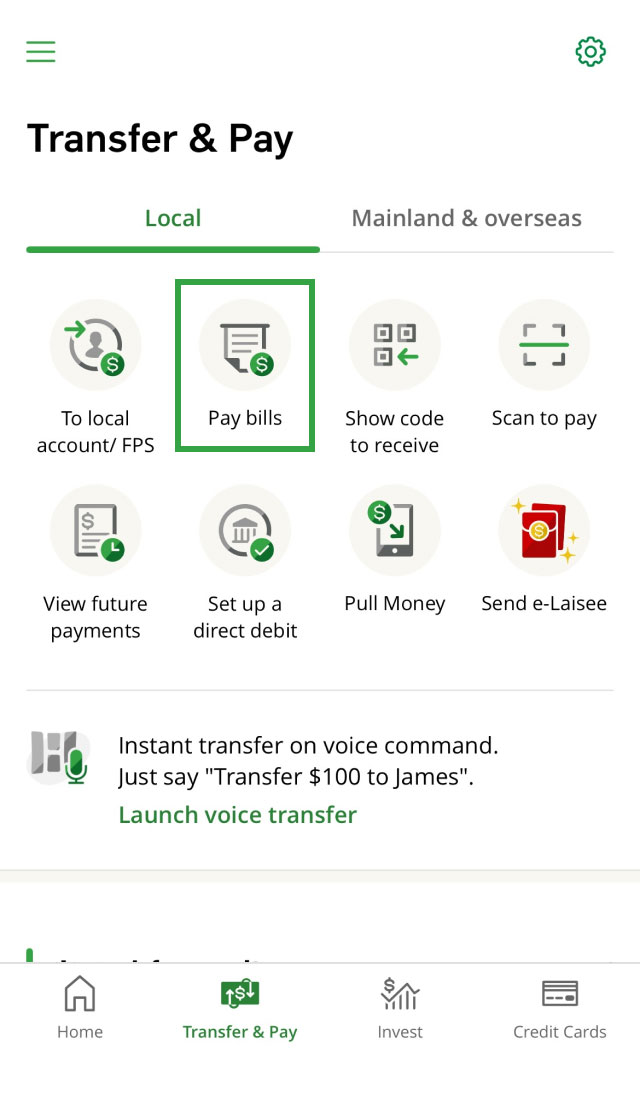
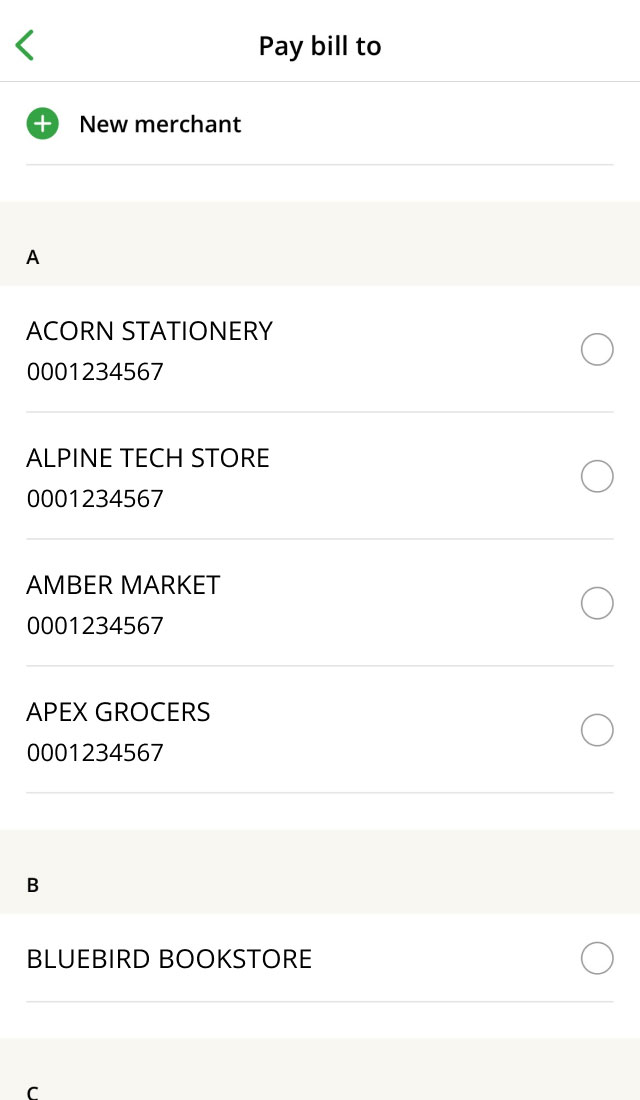
Skip the trip to the convenience store or ATM! Pay bills effortlessly to about 800 merchants or organisations using your bank account or credit card via Hang Seng Mobile App or Personal e-Banking. You can pay bills to government and utilities, banking and credit card services, insurance companies, telecommunications and more. For details, you can view the merchant list.
Settling daily bills such as:
For frequent bill payment, such as:
For occasional bill payment, such as:
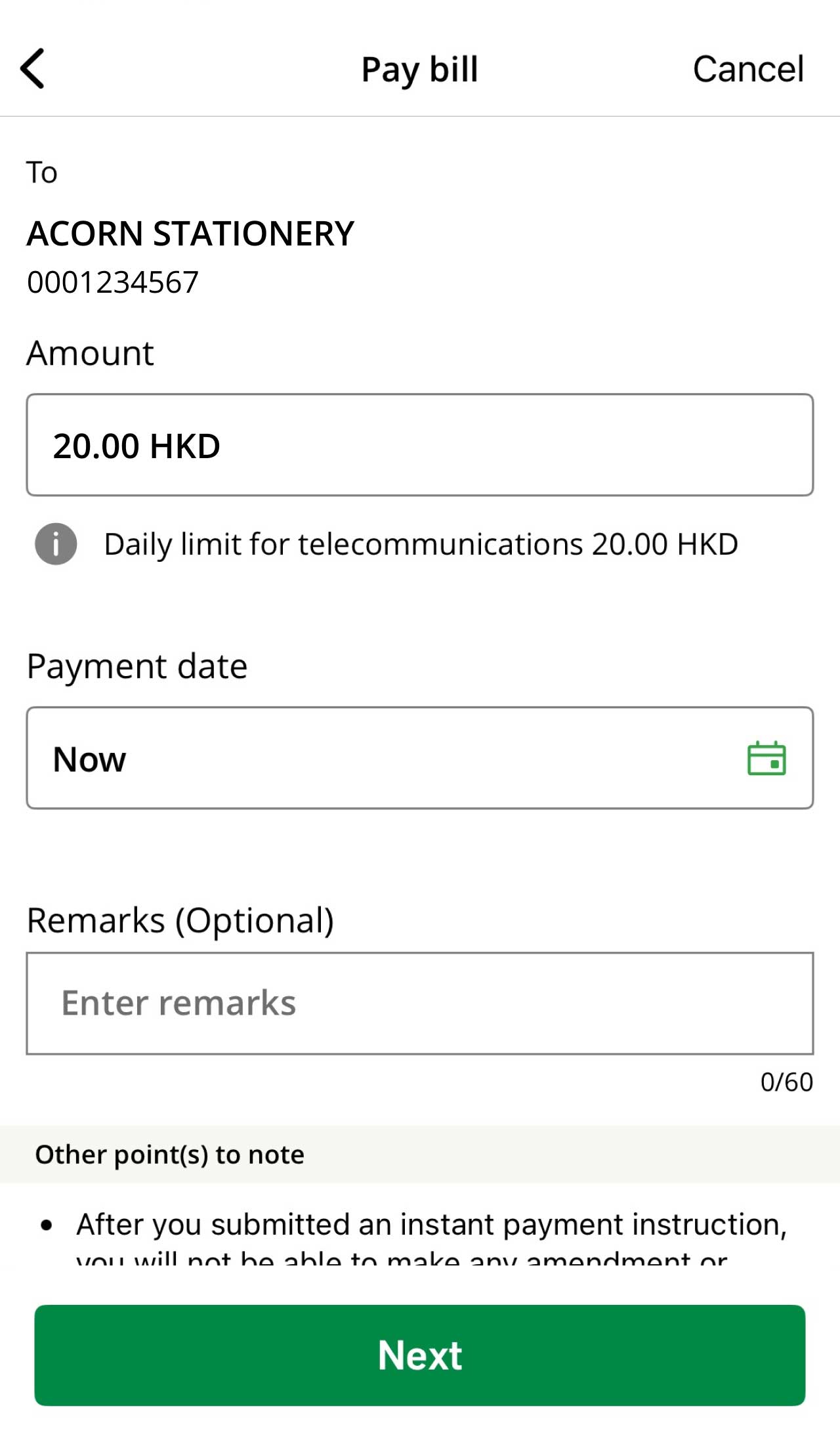
Simply choose your preferred date and we'll take care the rest to ensure timely payment, so you'll never have to worry about late fees!
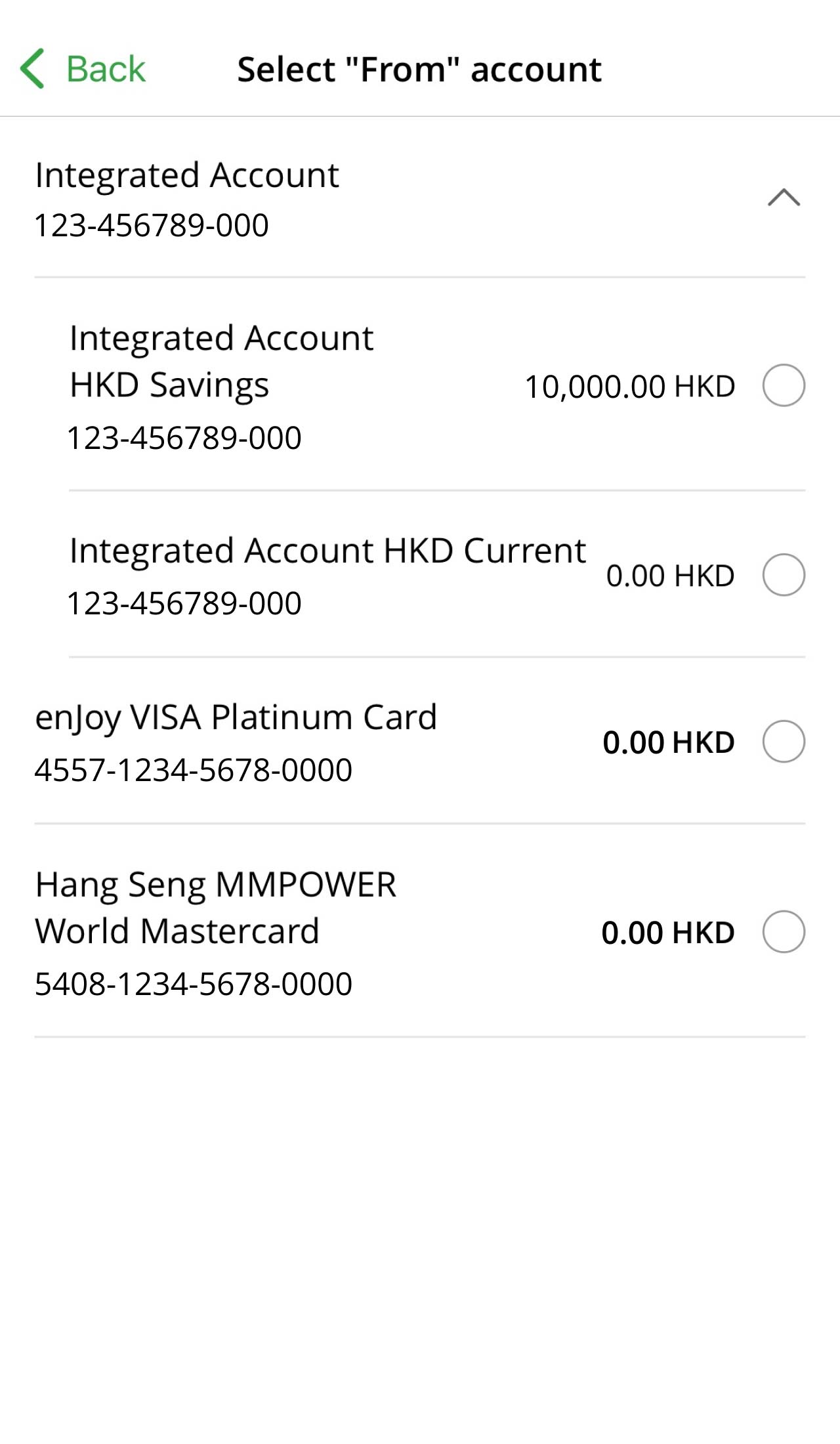
Pay with your bank account:
Pay with your credit card[1][2][3]:
Pay your bills using JustPay or pay your bills using Transfer & Pay via "Scan to Pay" feature in Hang Seng Mobile App. Simply scan the QR code on your bill to pay via FPS, no need to select the merchant or enter bill account number.





Download Hang Seng Mobile App via APK file
For payments made via Personal e-Banking and Phone Banking, you need to pre-register the relevant merchant and the bill account number by submitting the Personal e-Banking and Phone Banking Bill Payment Registration/Amendment Form at any of our branches.
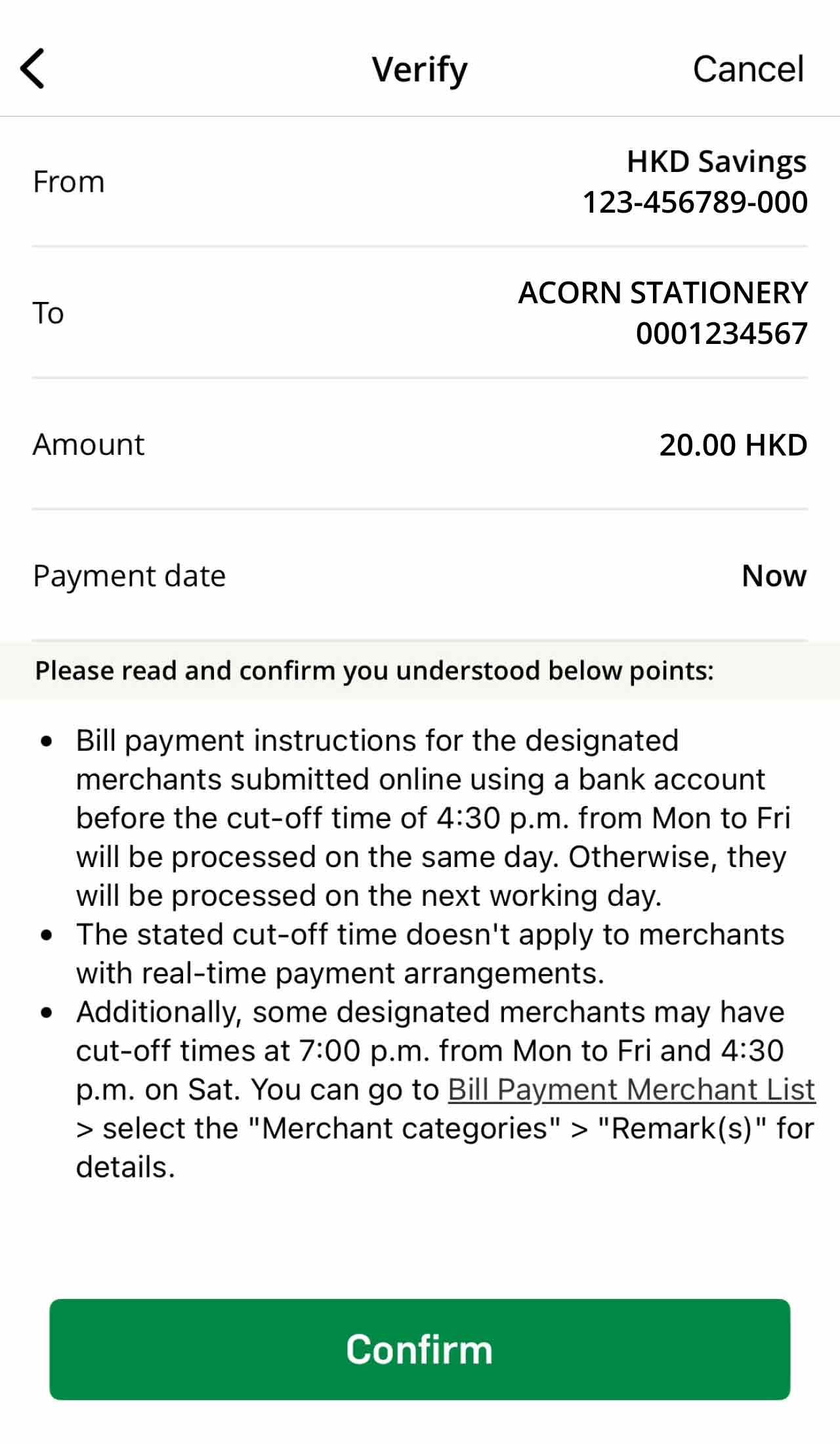
We'll process your bill payment instructions for designated merchants submitted online before the cut-off time of 4:30 p.m. from Mon to Fri on the same day. If submitted after the cut-off time, we'll process them on the next working day[4].
If you want to update other transfer and payment related settings, please visit Manage your banking profile.
Customers can register, receive, settle e-bills, receive e-donation and e-payment receipt via Hang Seng Personal e-Banking.
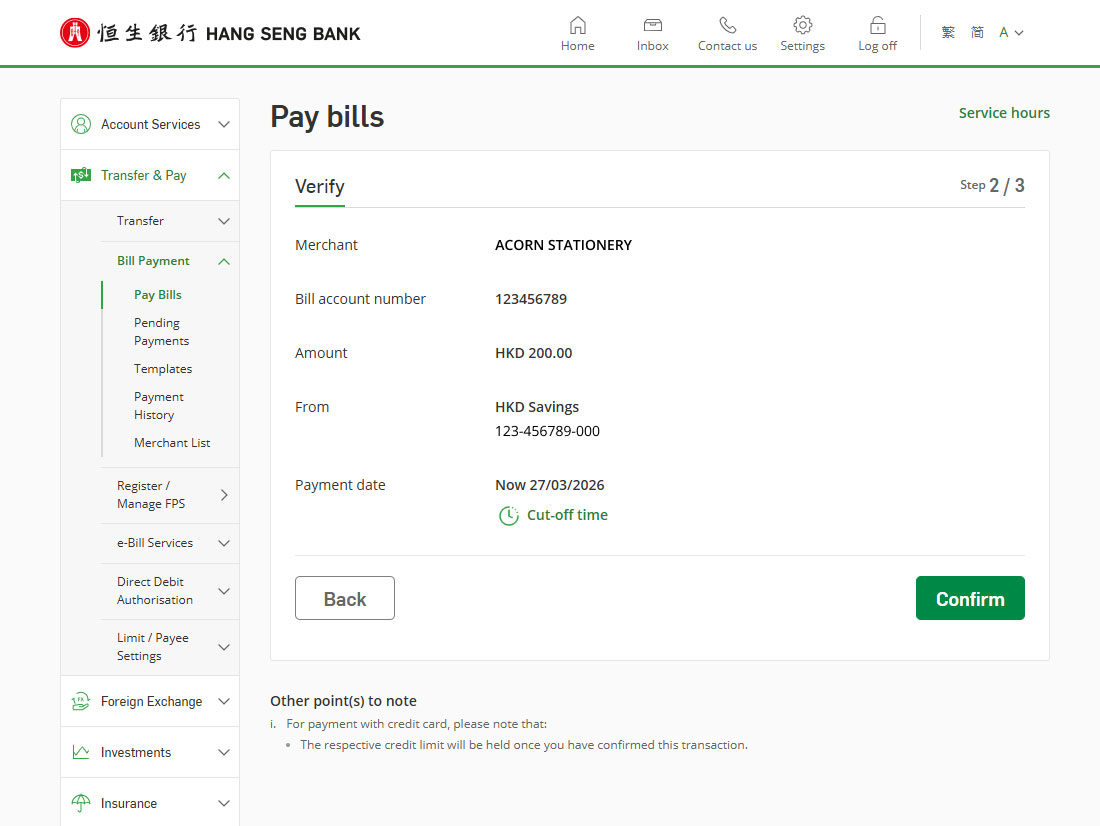
For all successfully processed instructions, you will receive a reference number instantly. You are advised to 'print' or 'save' the payment details in the Confirmation page for reference.
A registered bill payee list is a list of payee and bill accounts which you make regular payments.
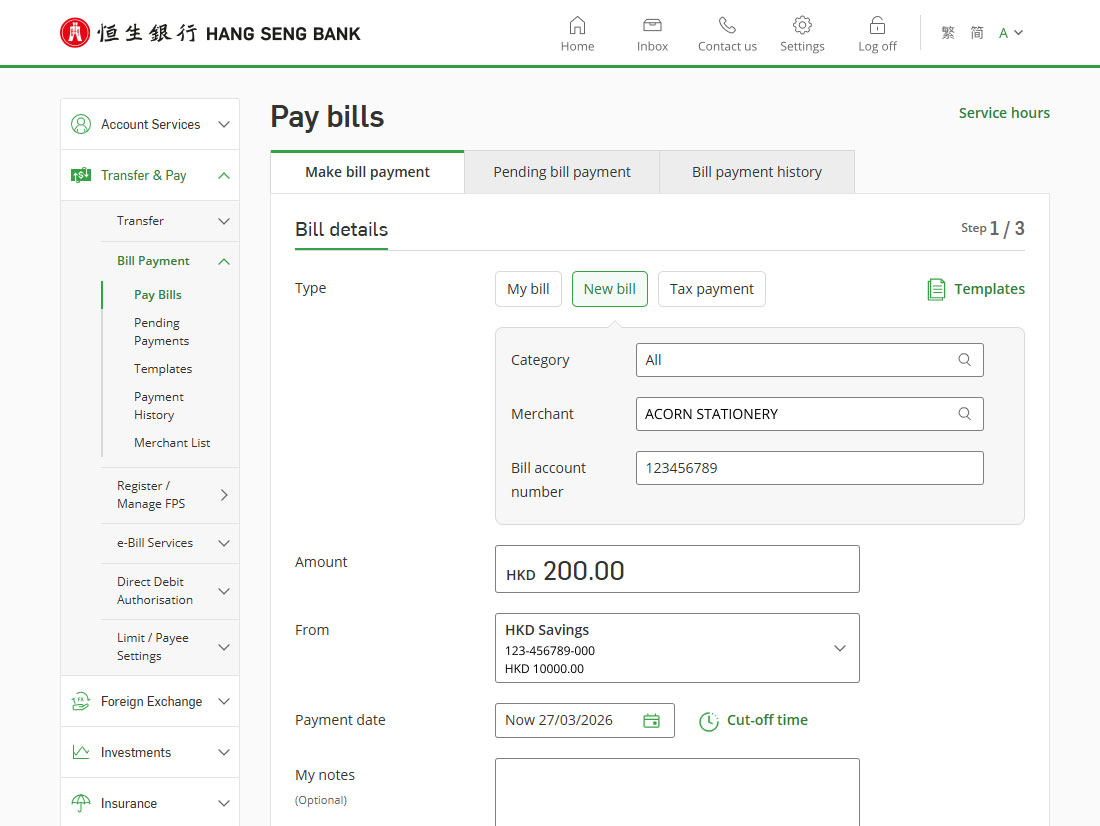
After making a bill payment, the relevant merchant and bill account number will be automatically added to your registered bill payee list.
For payees under the Banking and Credit Card Services category, you need to pre-register the relevant merchant and the bill account number by submitting the Personal e-Banking and Phone Banking Bill Payment Registration/Amendment Form at any of our branches.
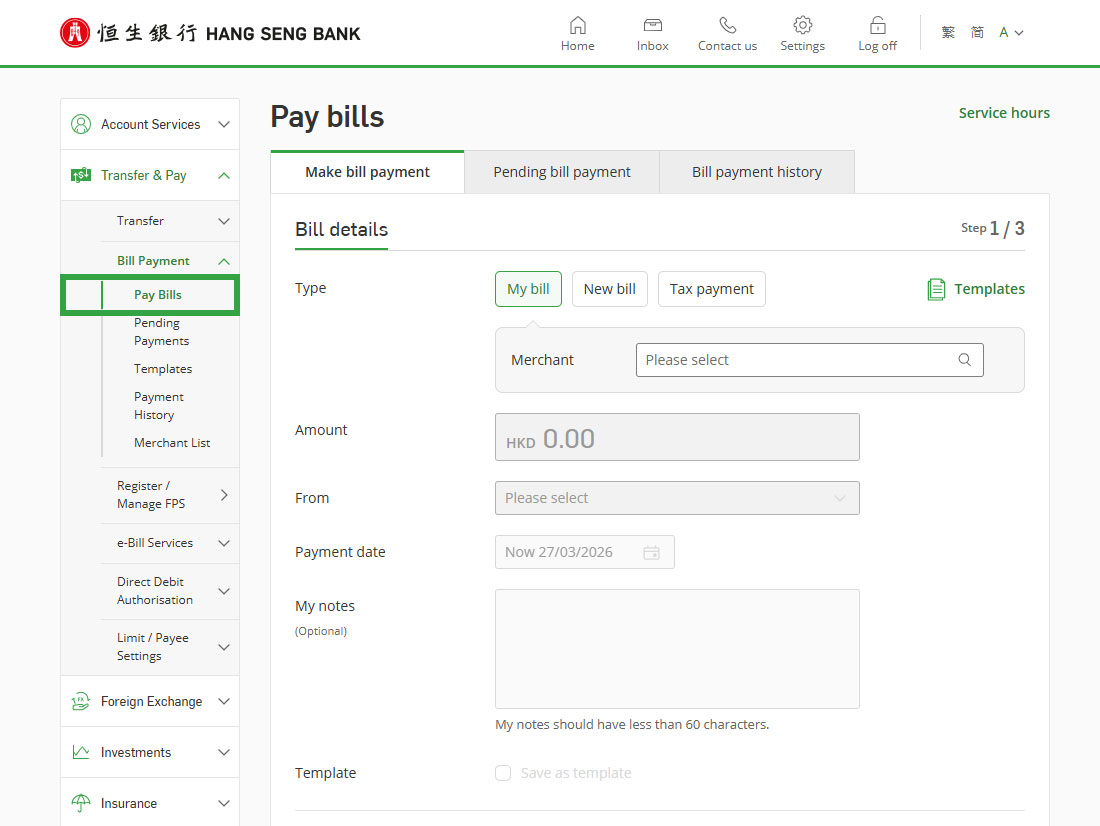
After successful payment [5], you can log on to Personal e-Banking, go to the left menu > "Transfer & Pay" > "Bill Payment" > "Payment History" to check the record. Alternatively, you can check on the next working day via Personal e-Banking > "Account Services" > "Account Details". For failed payment instructions, we'll notify you via "Inbox" in Personal e-Banking.
If you pay by credit card, you can check the transaction history under "My Credit Cards" on Hang Seng Mobile App or "Cards Overview" on Personal e-Banking once it's posted.
To pay bills online with credit card, you must have a personal Hang Seng Credit Card (not applicable to e-shopping MasterCard, USD Visa Gold Card, Spending Card and Private Label Card) and have registered for Personal e-Banking.
The maximum daily bill payment limit can be set up to HKD500,000, subject to your available credit card limit. Different bill categories have specific daily payment limits. Visit "Bill Payment Limits" under "Manage your payees and limits" page to check limits per merchant category.
You can submit the "Request for Increase in Credit Card Limit Form"[6] via Personal e-Banking > "Credit Cards" > "Other Related Services". Only principal cardholder can submit the form. We'll inform you of the results within the next working day[7] by phone / email.
Alternatively, you can complete the form at the back of credit card statement and send to Hang Seng Bank Card Centre via mail / fax.
You'll receive statement as usual with details of your online bill payment transactions included.
Register FPS with your proxy identifiers for instant cross-bank transfers 24/7.
Automate your payments to merchants to save time and avoid late charges!
Secure your online transfers by setting your transfer and payment limits in a few steps.
Get 24/7 support from our Virtual Assistant.
To borrow or not to borrow? Borrow only if you can repay!